
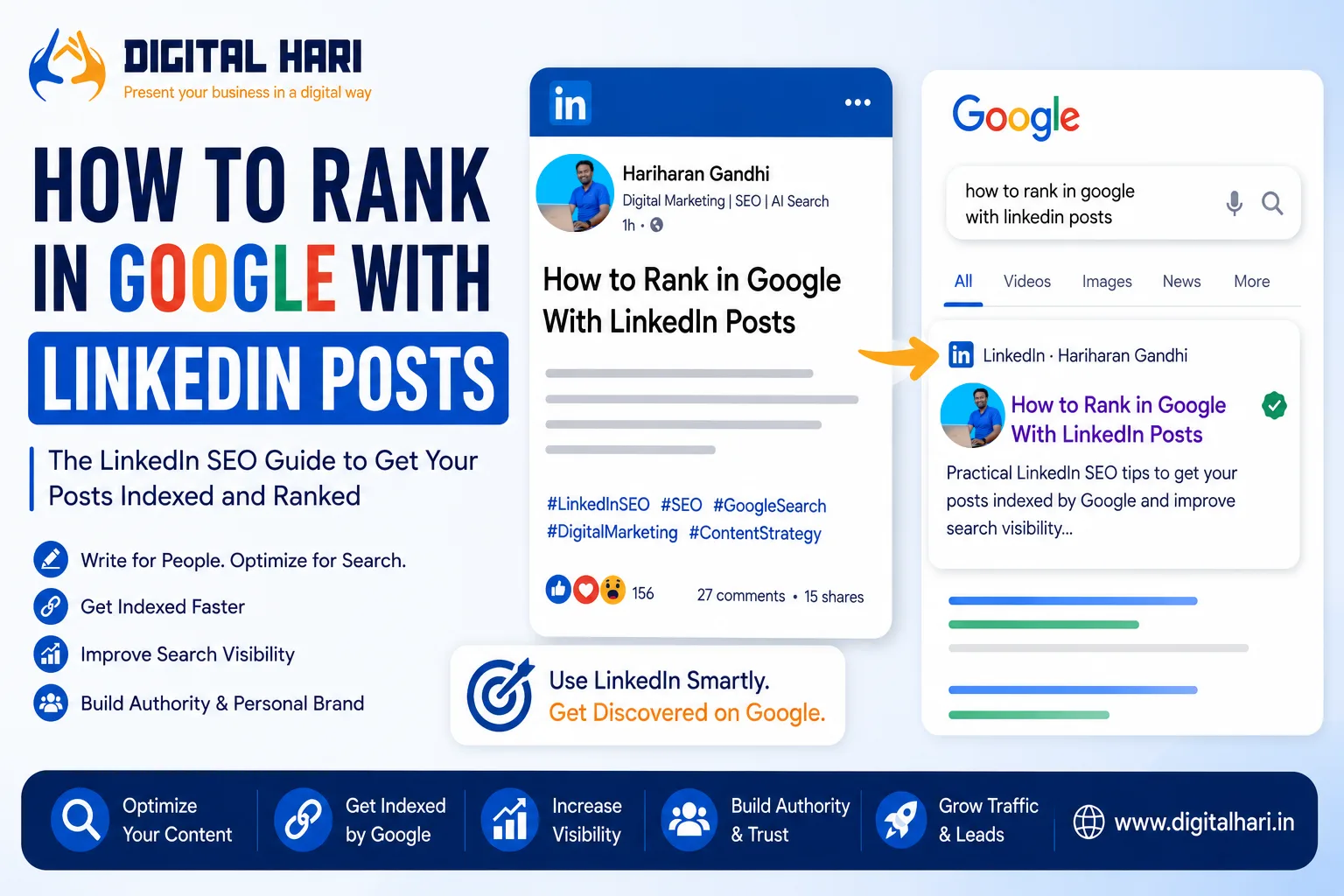
Can a LinkedIn post rank on Google?
Yes, it can.
LinkedIn posts are publicly accessible web pages, and Google can discover, crawl, index, and sometimes rank them for relevant searches. This creates an interesting opportunity for professionals, founders, marketers, consultants, and creators who already publish regularly on LinkedIn.
But there is a big difference between getting a LinkedIn post indexed and ranking it on Google.
You cannot guarantee that a LinkedIn post will rank in five minutes—or even rank at all.
What you can do is make the post easier for search engines to understand and increase its chances of appearing for relevant, specific searches.
In this guide, I’ll show you how I approach Google ranking with LinkedIn posts, including LinkedIn SEO, keyword placement, post structure, hashtags, indexing, internal relevance, external sharing, and how to turn a LinkedIn post into a useful search asset.
Can LinkedIn Posts Rank on Google?
Yes.
When you publish a public LinkedIn post, the content can potentially be discovered by search engines.
This means a LinkedIn post can appear when someone searches for information related to the subject you have discussed.
For example, imagine you publish a LinkedIn post about:
Google Search Console social media reporting
Someone later searches for that exact topic.
If Google has indexed your LinkedIn post and considers it relevant and useful, your post may appear in the results.
The same principle can apply to:
- SEO tips
- Digital marketing
- AI Search
- Google updates
- LinkedIn marketing
- Business advice
- Industry news
- Professional experiences
- How-to questions
However, indexing does not equal ranking.
That’s an important distinction.
Indexing vs Ranking: What’s the Difference?
These two terms are often confused.
Indexing
Google discovers your LinkedIn page and stores information about it in its search index.
Ranking
Google decides whether that page deserves to appear for a particular search query and where it should appear.
So you might have:
LinkedIn post → Indexed → No meaningful ranking
or:
LinkedIn post → Indexed → Ranking on page 1
Your goal isn’t simply to get Google to discover the post.
Your goal is to create content that deserves to rank.
Why Some LinkedIn Posts Can Rank Quickly
LinkedIn has several characteristics that can help content discovery.
The platform contains a huge amount of professional content, and individual public posts can sometimes be discovered by search engines relatively quickly.
There is also a strong connection between LinkedIn content and professional search queries.
For example, people may search for:
- How to improve LinkedIn engagement
- What is AI Search?
- SEO tips for beginners
- Google Search Console tips
- LinkedIn content strategy
- Digital marketing trends
A well-written LinkedIn post can potentially become relevant to these searches.
But don’t build your strategy around the idea that every LinkedIn post will rank within minutes.
Search engines control crawling, indexing, and ranking.
You can optimize the content.
You cannot force Google to rank it.
How to Create a LinkedIn Post That Can Rank on Google
1. Start With a Clear Topic
Before writing anything, decide exactly what question or topic your post will answer.
Don’t start with:
“I have something interesting to share today.”
That’s difficult for both readers and search engines to understand.
Instead, make the subject clear.
For example:
How to Find LinkedIn Trending Topics
or:
How Google Search Console Helps You Understand SEO Performance
or:
What Is AI Search and How Does It Affect SEO?
A clear topic gives your post a stronger relevance signal.
2. Use the Main Keyword Naturally
Choose one primary keyword or search phrase.
For example, if your topic is about finding trending LinkedIn content, your primary keyword could be:
LinkedIn trending topics
Related keywords might include:
- LinkedIn trending posts
- LinkedIn viral posts
- LinkedIn trending news
- LinkedIn viral content
- LinkedIn content ideas
- LinkedIn marketing strategy
Don’t force all of these phrases into every paragraph.
Write naturally.
Google has become much better at understanding topics and related concepts.
The objective is to make the subject clear—not to fill the post with keywords.
3. Make the First Line Work Like a Headline
Your opening line is extremely important.
Think of it as the headline of your LinkedIn article.
Instead of:
“I’ve been thinking about this for a while…”
Try:
How to Find LinkedIn Trending Topics Before Everyone Else
This immediately tells the reader what the content is about.
It also creates a strong topical signal for the rest of the post.
Your first line should ideally:
- Explain the topic
- Include the main phrase naturally
- Create curiosity
- Promise useful information
4. Write Enough to Explain the Topic
There is no universal rule saying a LinkedIn post must contain exactly 150 words to rank on Google.
That’s an important misconception.
Google doesn’t rank a page simply because it crossed a particular word count.
Instead, focus on completeness and usefulness.
If you can answer the question properly in 200 words, don’t write 1,000 words just to reach a number.
For a more competitive topic, however, a longer LinkedIn post may allow you to cover:
- The problem
- The explanation
- Examples
- Steps
- Mistakes
- Recommendations
- A conclusion
The question isn’t:
“How many words should I write?”
Ask:
“Does this content completely answer the reader’s question?”
5. Use Related Terms and Concepts
This is where many LinkedIn creators can improve their content.
Suppose your main topic is:
LinkedIn SEO
You don’t need to repeat “LinkedIn SEO” 20 times.
Instead, naturally discuss related concepts such as:
- Google indexing
- LinkedIn posts
- Search visibility
- Keywords
- Search intent
- Google Search
- Public LinkedIn content
- Content structure
- Search results
These concepts help establish the context of the article.
6. Use Hashtags Carefully
Hashtags can help categorize LinkedIn content and make it easier for people to discover related posts within LinkedIn.
For example:
#LinkedInSEO
#SEO
#GoogleSearch
#DigitalMarketing
#ContentMarketing
But don’t treat hashtags as a guaranteed Google ranking technique.
There is also a common claim that LinkedIn automatically creates a “search-friendly URL” from your hashtags.
That’s not something you should rely on as an SEO rule.
LinkedIn controls the URL structure of its platform, and Google controls how the page title and URL appear in Search.
Use hashtags primarily for content categorization and LinkedIn discovery, not as a shortcut to Google rankings.
7. Keep the Post Public
If your objective is Google visibility, your content needs to be accessible to search engines.
A private conversation is not the same as a public LinkedIn post.
Before expecting search visibility, make sure you’re publishing content in a publicly accessible format.
Your LinkedIn visibility settings can also influence who can access your content.
8. Get the Correct LinkedIn Post URL
Once your post is published, open the post and use LinkedIn’s option to copy the post link.
Keep the URL.
This is the page you want people—and potentially search engines—to discover.
You can also test the URL in a browser to make sure it opens correctly when you’re logged out or in a suitable private browsing environment.
Don’t confuse:
LinkedIn profile URL
with:
LinkedIn post URL
If you’re trying to get a specific post discovered, use the URL of that individual post.
9. Share the Post Naturally
Once you’ve published the LinkedIn post, you can share it through your legitimate online channels.
For example:
- Your website
- Newsletter
- X
- Relevant communities where sharing is appropriate
External references can help people discover your content.
But don’t spam the same URL everywhere.
The objective is to create real distribution, not artificial link volume.
10. Connect the LinkedIn Post With Your Website
This is particularly useful if you have your own website.
Suppose you publish a detailed article on:
about LinkedIn trending topics.
You can then publish a LinkedIn post summarizing the main lessons and link readers to the complete guide.
This creates a relationship between:
Your Website → LinkedIn
and
LinkedIn → Your Website
Your website should remain the primary place for your most comprehensive content.
LinkedIn can then act as a distribution and professional discovery channel.
LinkedIn SEO and Google SEO Are Not the Same
This is another important distinction.
LinkedIn SEO
Focuses on helping your content become discoverable within LinkedIn.
This can involve:
- Clear topics
- Relevant keywords
- Hashtags
- Strong opening lines
- Audience engagement
- Consistent publishing
- Relevant profiles and connections
Google SEO
Focuses on visibility in Google Search.
This involves much more:
- Search intent
- Relevance
- Content quality
- Page accessibility
- Authority
- Links
- Technical signals
- Search demand
- Competition
A strategy that works inside LinkedIn isn’t automatically a Google ranking strategy.
Is Ranking LinkedIn Posts a Form of Parasite SEO?
Parasite SEO generally refers to creating and publishing content on an established third-party platform with the goal of gaining search visibility through that platform. LinkedIn can be used as one part of this strategy because public LinkedIn posts can potentially appear in Google Search.
For example, if you want to rank for a specific question such as “how to rank in Google with LinkedIn posts,” you could create a genuinely useful LinkedIn post that directly answers the query. If Google discovers and considers the post relevant, the LinkedIn page may appear in search results.
The important point is that Parasite SEO should not mean publishing thin, keyword-stuffed content simply to exploit another website’s authority. The better approach is to use LinkedIn to publish original, useful content that deserves to be discovered.
Factors such as search intent, topical relevance, content quality, competition, Google’s crawling and indexing systems, and the authority of the publishing platform can all influence the result.
So, LinkedIn Parasite SEO is better understood as a search visibility strategy—not a guaranteed shortcut to Google rankings.
Can a LinkedIn Post Rank Faster Than a Website?
Sometimes a LinkedIn post may be discovered and appear in search relatively quickly.
But you shouldn’t assume that LinkedIn pages will always be indexed faster than your website.
Google decides when and how it crawls pages.
The speed can vary depending on:
- The URL
- Search demand
- Google’s crawling systems
- Content freshness
- Site/platform signals
- Whether Google can discover the page
A post appearing in Google within minutes is possible in some situations, but it is not a guaranteed SEO workflow.
Can LinkedIn Posts Appear in AI Search?
They can potentially be used or surfaced by AI-powered search experiences when those systems have access to and select the content.
This is becoming increasingly interesting for professionals building personal brands.
AI Search doesn’t simply care about traditional keyword rankings.
It can also depend on whether your content provides:
- Clear answers
- Original information
- Useful explanations
- Strong topical relevance
- Credible context
- Recognizable expertise
This is why I recommend writing LinkedIn posts for people first.
If the content is clear enough for a human to understand, it is also easier for search systems to interpret.
Don’t Write LinkedIn Posts Only for Google
This is where SEO can go wrong.
If you write:
SEO SEO SEO LinkedIn SEO Google ranking LinkedIn SEO Google SEO…
nobody wants to read it.
Instead, write like you’re talking to a professional who genuinely wants an answer.
For example:
Can a LinkedIn post rank on Google?
Yes, it can. But getting indexed and ranking are two different things.
Start with a clear topic, explain the answer, use relevant terms naturally, and make the post genuinely useful.
That’s much better than keyword stuffing.
Use Long-Tail Keywords
LinkedIn posts can be particularly useful for specific, conversational searches.
Instead of targeting an extremely competitive term such as:
SEO
consider a more specific query:
How to rank LinkedIn posts on Google
or:
How to find LinkedIn trending topics
or:
Can LinkedIn posts rank on Google?
These are examples of long-tail keywords.
They usually have clearer search intent.
And because the question is specific, you can create content that answers it directly.
Create Posts Around Questions
One of my favorite approaches is to turn real questions into content.
For example:
Can LinkedIn posts rank on Google?
How do I find LinkedIn trending topics?
Does LinkedIn content appear in Google Search?
How can I improve my LinkedIn visibility?
Can LinkedIn posts help personal branding?
Each question can become a standalone piece of content.
This approach also aligns well with modern search behavior because people increasingly search using conversational questions.
Don’t Ignore the First Few Lines
On LinkedIn, people decide very quickly whether they want to continue reading.
So your opening should create a clear reason to keep going.
For example:
I wanted to see how quickly a LinkedIn post could become discoverable in Google.
Then explain what you tested and what you learned.
This is more engaging than starting with a generic introduction.
Add Your Own Experience
This is one of the strongest ways to make your content different.
Don’t just explain:
“Here are five LinkedIn SEO tips.”
Tell readers what you actually observed.
For example:
“When I started testing LinkedIn content around specific search questions, I noticed that clear, focused posts were much easier to build around than generic motivational content.”
Personal experience gives your content a human layer.
It also prevents your article from sounding like another AI-generated SEO checklist.
What About Services That Promise Fast Indexing?
You may come across services claiming they can force Google to index a LinkedIn post within minutes.
Be careful.
No third-party indexing service can guarantee that Google will index or rank a particular LinkedIn URL.
Google controls its own crawling and indexing systems.
If you use an indexing service, don’t confuse:
Submitting a URL
with:
Google indexing the URL
and don’t confuse either with:
Google ranking the URL.
These are three different things.
A Practical LinkedIn-to-Google Workflow
Here’s a simple workflow you can actually follow.
Step 1: Choose a search topic
Find a question people are actually asking.
Step 2: Select a primary keyword
Keep it specific.
Step 3: Write a strong first line
Use the topic naturally.
Step 4: Explain the answer
Give useful information rather than promotional content.
Step 5: Add related concepts
Cover the topic naturally.
Step 6: Add relevant hashtags
Use a small number of genuinely relevant hashtags.
Step 7: Publish publicly
Make sure the post can be discovered.
Step 8: Copy the post URL
Save the individual LinkedIn post URL.
Step 9: Distribute it naturally
Share it through relevant channels.
Step 10: Monitor Search
Search for the topic and your exact post title over time.
Don’t expect instant results.
What I Would Do Differently From the “5-Minute Ranking” Approach
The idea of “rank on Google in five minutes” is attractive.
But SEO needs more realistic expectations.
You might get lucky and see a page appear quickly.
That doesn’t mean five-minute ranking is a repeatable SEO method.
Instead, I would focus on building a system that works repeatedly:
Keyword → Search Intent → Useful LinkedIn Post → Public URL → Distribution → Indexing → Search Visibility → Measurement
That’s a much more sustainable approach.
How I Use LinkedIn Content at Digital Hari
At Digital Hari, I look at LinkedIn as more than a social media platform.
It can be part of a broader content ecosystem.
For example, I might research a topic such as LinkedIn trending topics and then develop it into:
- A detailed website article
- A LinkedIn article
- A LinkedIn post
- A Facebook post
- An X post
- A Pinterest Pin
- A YouTube video
- A newsletter
Each format has a different purpose.
The website can provide the complete resource.
LinkedIn can create professional discussion.
Social platforms can distribute the idea.
Search can continue bringing people to the content over time.
This approach is much more powerful than treating every platform as an isolated channel.
Final Thoughts
Yes, LinkedIn posts can rank on Google.
But don’t think of it as a trick where you add a keyword, publish a post, and automatically rank within five minutes.
SEO doesn’t work that way.
A better strategy is to create a public LinkedIn post around a specific search topic, write genuinely useful and original content, use keywords naturally, make the subject clear from the beginning, distribute the post responsibly, and then monitor whether Google discovers and ranks it.
Most importantly, remember:
Indexing is not ranking.
Ranking is not traffic.
Traffic is not business results.
Your ultimate goal should be to create content that attracts the right people.
That’s the approach I follow at Digital Hari.
I’m Hariharan Gandhi, founder of Digital Hari, where I write about SEO, AI Search, Google Search, digital marketing, content strategy, and online visibility.
If you’re building a personal brand through LinkedIn, don’t just ask:
“How can I make this post rank?”
Ask:
“What useful answer can I put in front of someone who is searching for this information?”
That mindset leads to much better SEO—and much better content.
Frequently Asked Questions
Yes. Public LinkedIn posts can potentially be discovered, indexed, and ranked by Google for relevant searches. However, indexing and ranking are not guaranteed.
There is no fixed time. Some content may be discovered quickly, while other pages can take longer or may not be indexed. Five-minute indexing should not be treated as a guaranteed result.
Hashtags can help categorize and discover content within LinkedIn, but they are not a guaranteed Google ranking technique. Use relevant hashtags naturally rather than adding hashtags solely for SEO.
There is no minimum word count that guarantees Google rankings. Write enough to answer the topic properly. Quality, relevance, usefulness, and search intent matter more than hitting an arbitrary word count.
Potentially, yes. Public LinkedIn content may be considered by search and AI-powered systems when they can access and select that information. Clear, relevant, original, and useful content gives your professional expertise a better chance of being understood and surfaced. 1. Can LinkedIn posts rank on Google?
2. How long does it take for a LinkedIn post to appear on Google?
3. Do hashtags help LinkedIn posts rank on Google?
4. How many words should a LinkedIn post have for SEO?
5. Can LinkedIn posts appear in AI Search?