
Imagine managing a business, providing good customer service, and building a positive reputation for years. Suddenly, your Google Business Profile receives several suspicious 1-star reviews within a short period.
Some reviewers may not appear to have any genuine connection with your business. Others may post similar comments, leave ratings without meaningful feedback, or publish reviews that seem unrelated to your services.
For business owners, this can be frustrating. A series of negative reviews may influence how potential customers view a business before they even make contact.
This situation raises several important questions:
- How can you identify fake or suspicious Google reviews?
- Can Google remove multiple 1-star reviews?
- How do you report reviews that violate Google’s policies?
- What can you do if Google rejects your removal request?
- Can a digital marketing professional help with the reporting and appeal process?
In this guide, we explain how businesses can handle suspicious Google reviews, prepare supporting evidence, report policy violations, and protect their online reputation.
At Digital Hari, we help businesses with digital marketing and online visibility. This guide also explains how professional Google review reporting and reputation management assistance can support businesses facing these issues.
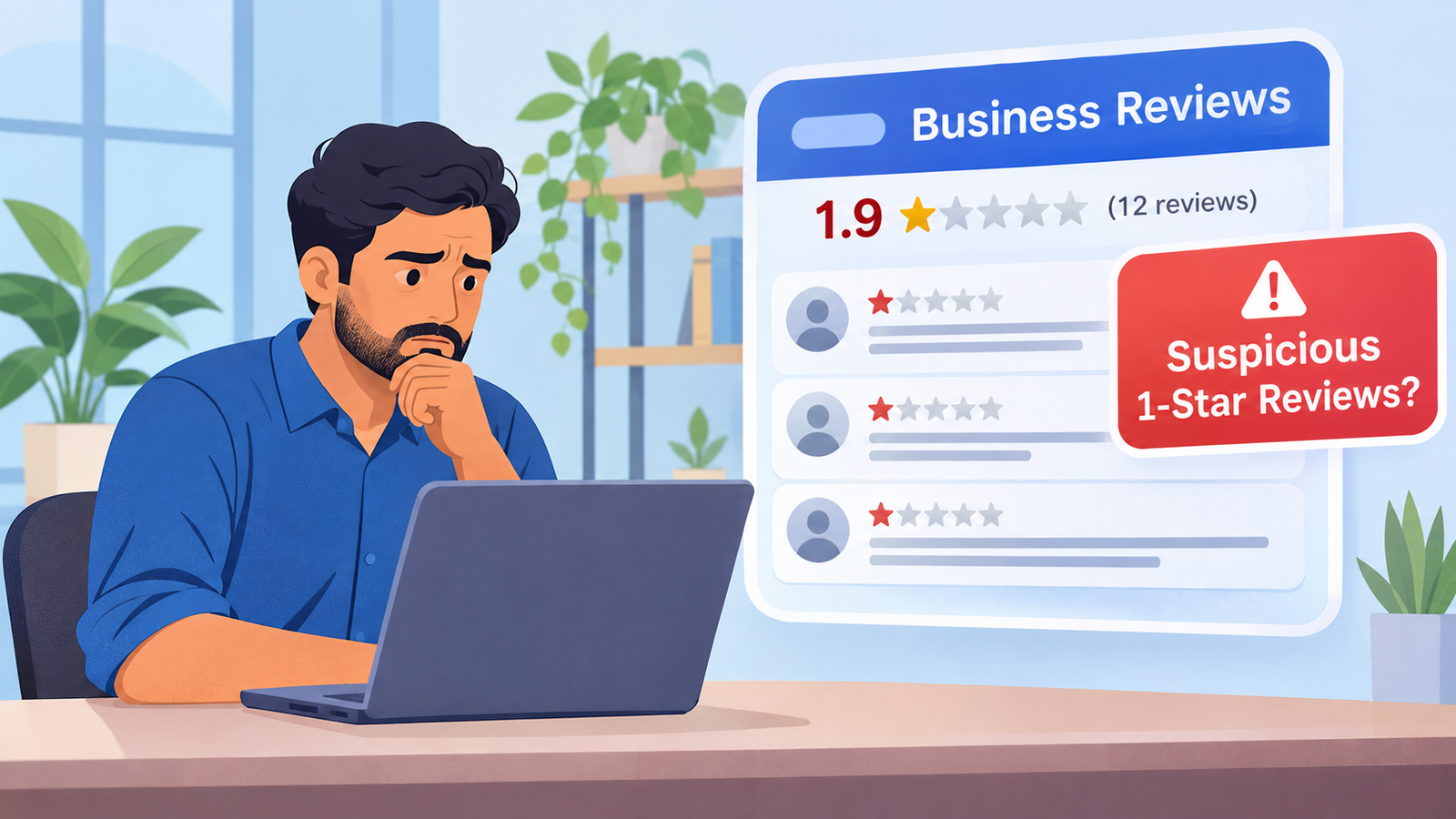
Why Fake Google Reviews Are a Serious Business Problem
Google reviews are an important part of how customers evaluate local businesses.
Before contacting a clinic, restaurant, hotel, service provider, or professional company, potential customers may check its Google rating and read recent reviews.
A sudden increase in negative ratings can create doubts, even when the business believes the reviews are suspicious.
Fake or policy-violating reviews can affect businesses in several ways.
1. Loss of Customer Trust
People often use reviews to understand other customers’ experiences.
When a business receives several negative reviews in a short period, potential customers may hesitate before contacting it.
2. Damage to Online Reputation
A business may have spent years building a positive reputation. A sudden group of suspicious ratings can change how its profile appears to people searching online.
3. Customer Enquiries May Be Affected
Some potential customers may choose another business after reading negative reviews. This can affect enquiries, appointments, bookings, and sales.
4. Additional Pressure on Business Owners
Business owners and their teams may spend considerable time investigating reviews, responding to comments, collecting evidence, and contacting Google.
The best approach is to handle the situation carefully rather than reacting emotionally.
What Are Fake or Policy-Violating Google Reviews?
Not every negative review is fake.
A customer may have a genuine complaint about service quality, waiting time, communication, pricing, or a business experience. Businesses should accept that customers can share honest feedback, including negative feedback.
However, Google does not allow reviews that violate its Maps user-generated content policies.
Some examples include the following.
1. Reviews Without a Genuine Customer Experience
A review may violate Google’s policies if it is not based on a real experience with the business.
For example, someone may publish a review about a company without having used its services or interacted with it.
2. Multiple Reviews Posted by One Person
Google prohibits fake engagement, including reviews posted from multiple accounts by or at the request of one person.
If a business receives several suspicious reviews that appear connected, it may be worth documenting the pattern and reporting the relevant reviews.
However, multiple reviews from different accounts do not automatically prove coordinated activity.
3. Repetitive or Spam Reviews
Some reviews may contain copied text, repetitive comments, irrelevant promotional messages, or content that does not relate to the business.
Google’s policies restrict spam and repetitive content.
4. Reviews Based on Conflicts of Interest
Reviews may violate Google’s policies when they are connected to a conflict of interest.
For example, content from a competitor, a current or former employee, or someone with a relevant professional or personal affiliation may fall under Google’s conflict-of-interest rules.
5. Harassment and Abusive Content
Google does not allow reviews that harass individuals or businesses.
Content involving threats, personal attacks, inappropriate material, or the publication of personal information may also violate its policies.
You can read the official Google Maps prohibited and restricted content policy.
How to Identify Suspicious Google Reviews
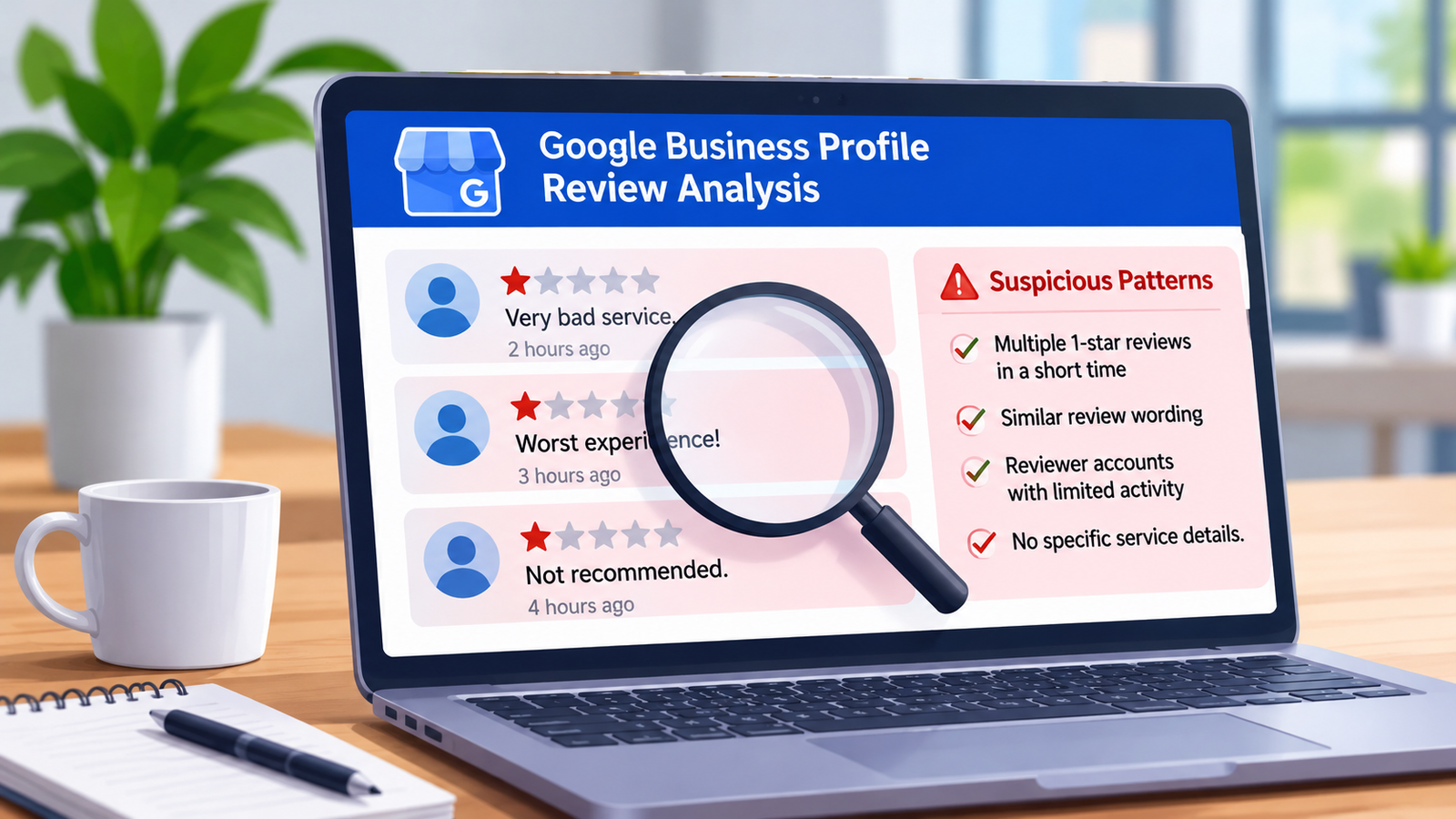
Businesses should look for patterns rather than judging reviews only by their star ratings.
Here are some warning signs worth investigating.
Sudden Increase in 1-Star Reviews
If a business normally receives a small number of reviews but suddenly receives several 1-star ratings within a short period, it may be worth checking the activity.
A sudden increase does not prove manipulation, but it can be a reason to investigate.
Similar Review Wording
Look for reviews that use identical or unusually similar wording.
For example, multiple accounts may publish nearly identical comments about the same service or incident.
Record the review links and wording so that the pattern can be explained clearly.
Reviews That Do Not Mention a Real Experience
Some reviews contain only a rating or a vague statement without explaining what happened.
This alone is not enough to establish a policy violation. A genuine customer is not required to write a detailed review.
However, when combined with other evidence, the content may deserve closer examination.
Reviews From Accounts With Unusual Activity
You can examine publicly visible reviewer profiles for relevant patterns.
For example, several accounts may appear to have posted similar reviews across different businesses.
Do not assume an account is fake simply because it has only one review, a limited profile, or an unfamiliar name. These details are not proof of misconduct.
Reviews Unrelated to Your Business
A review may refer to another company, a different location, an unrelated service, or an incident that has no apparent connection with your business.
This could indicate that the content is off-topic or incorrectly associated with the listing.
Important: A business should not publicly accuse a particular person or competitor of coordinating fake reviews without reliable evidence. Focus on the observable review activity and relevant Google policies.
Which Google Reviews Can Be Reported for Removal?
Google allows businesses to report reviews that violate its policies.
However, a negative rating is not automatically removable.
Examples of potentially reportable content include:
| Review issue | Why it may be reportable |
|---|---|
| Fake engagement | The review is not based on a genuine experience |
| Spam | The content is promotional, irrelevant, or repetitive |
| Rating manipulation | The activity indicates an attempt to manipulate ratings |
| Conflict of interest | The reviewer has a relevant personal or professional conflict |
| Harassment | The content targets or harasses people or businesses |
| Personal information | The review exposes private information without consent |
| Off-topic content | The review does not relate to an experience at the business |
Google evaluates reported content against its policies. The business owner should select the most relevant reporting reason and explain the concern accurately.
Read Google’s official review content policies before submitting a report.
How to Report Fake Google Reviews Step by Step
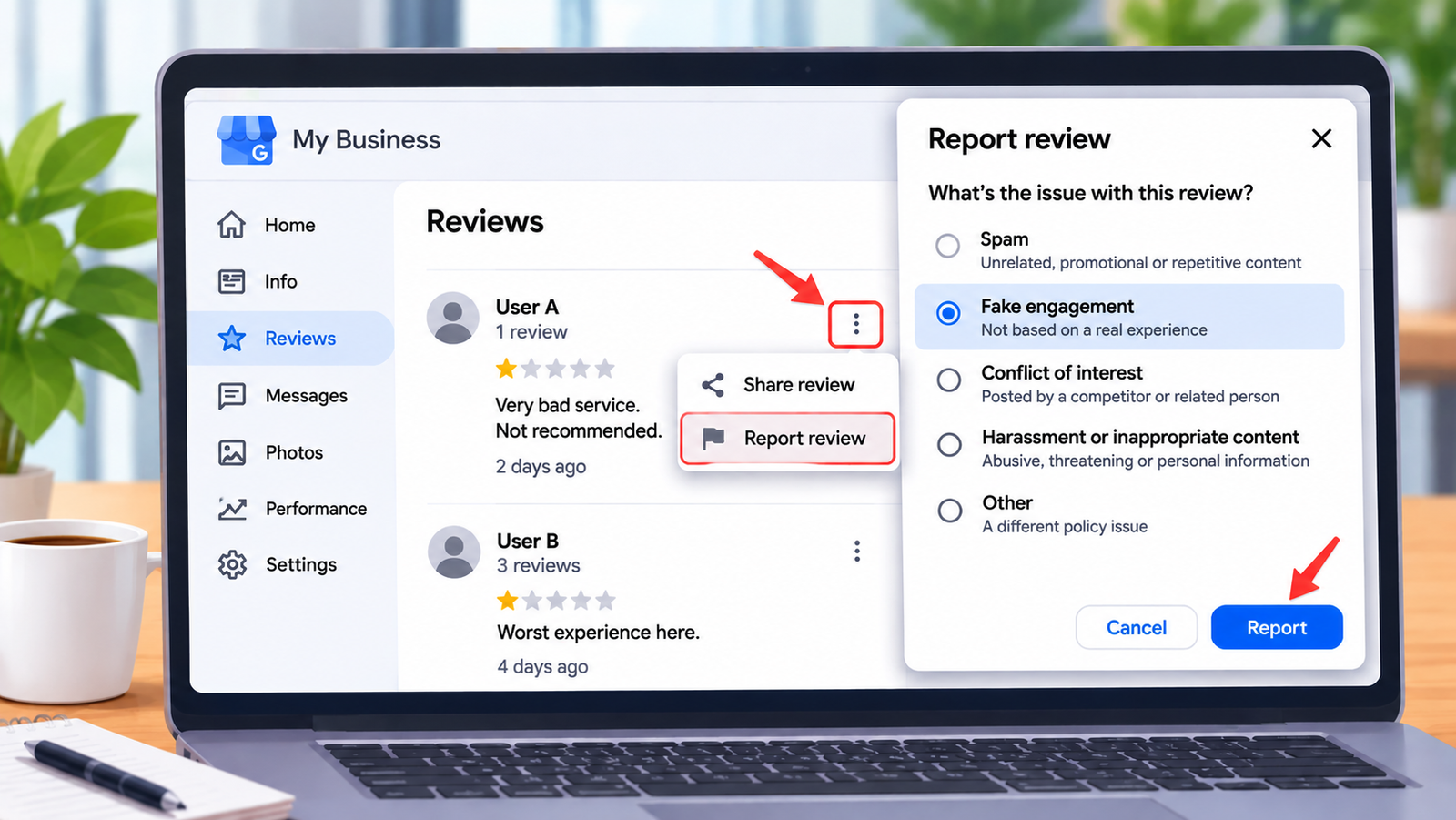
If you find a review that appears to violate Google’s policies, you can report it through your Business Profile or Google’s Reviews Management Tool.
Step 1: Open Your Google Business Profile
Sign in using the Google account associated with your Business Profile.
Find your business listing and open the review section.
Step 2: Find the Suspicious Review
Locate the review you want to report.
Before proceeding, copy its link and take a screenshot showing the review and its visible details.
Step 3: Select the Report Option
Use the report option beside the review.
Choose the reason that most accurately matches the suspected policy violation, such as spam or inappropriate content.
Step 4: Submit the Report
Follow the instructions and submit your report.
Avoid selecting a reason that does not match the actual content.
Step 5: Check the Review Status
Use Google’s Reviews Management Tool to check the status of your report.
Possible statuses include:
- Decision pending: Google has received the report and has not completed its evaluation.
- Report reviewed – no policy violation: Google has evaluated the review and did not identify a policy violation.
- Escalated – check your email for updates: The appeal has been escalated and Google will provide an update by email.
Google states that review evaluation typically takes several days, although the actual time can vary.
You can access the Google Reviews Management Tool through the official Google support process.
For detailed reporting instructions, see Google’s guide to reporting inappropriate reviews.
What If Google Rejects Your Review Removal Request?
Sometimes Google may review a reported review and decide that it does not violate its policies.
This does not mean you should immediately submit the same report repeatedly.
If the review is eligible for an appeal, Google provides a one-time appeal process through the Reviews Management Tool.
How to Submit a Google Review Removal Appeal
Follow these general steps:
- Open Google’s Reviews Management Tool.
- Sign in with the account associated with your Business Profile.
- Select your business.
- Choose the option to check the status of previously reported reviews and available appeal options.
- Select the eligible reviews.
- Choose the appeal option.
- Complete the appeal form with relevant information.
- Submit the appeal and monitor your email for Google’s decision.
Google’s current instructions allow businesses to select up to 10 eligible reviews for a single appeal submission.
The appeal should explain why the review violates a specific policy. Avoid making unsupported claims or simply stating that the reviewer is not a customer.
If Google finds a policy violation, it may remove the review. If it finds that the review complies with its policies, the review may remain visible.
See Google’s official review reporting and appeal instructions.
What Evidence Should You Prepare Before Appealing?
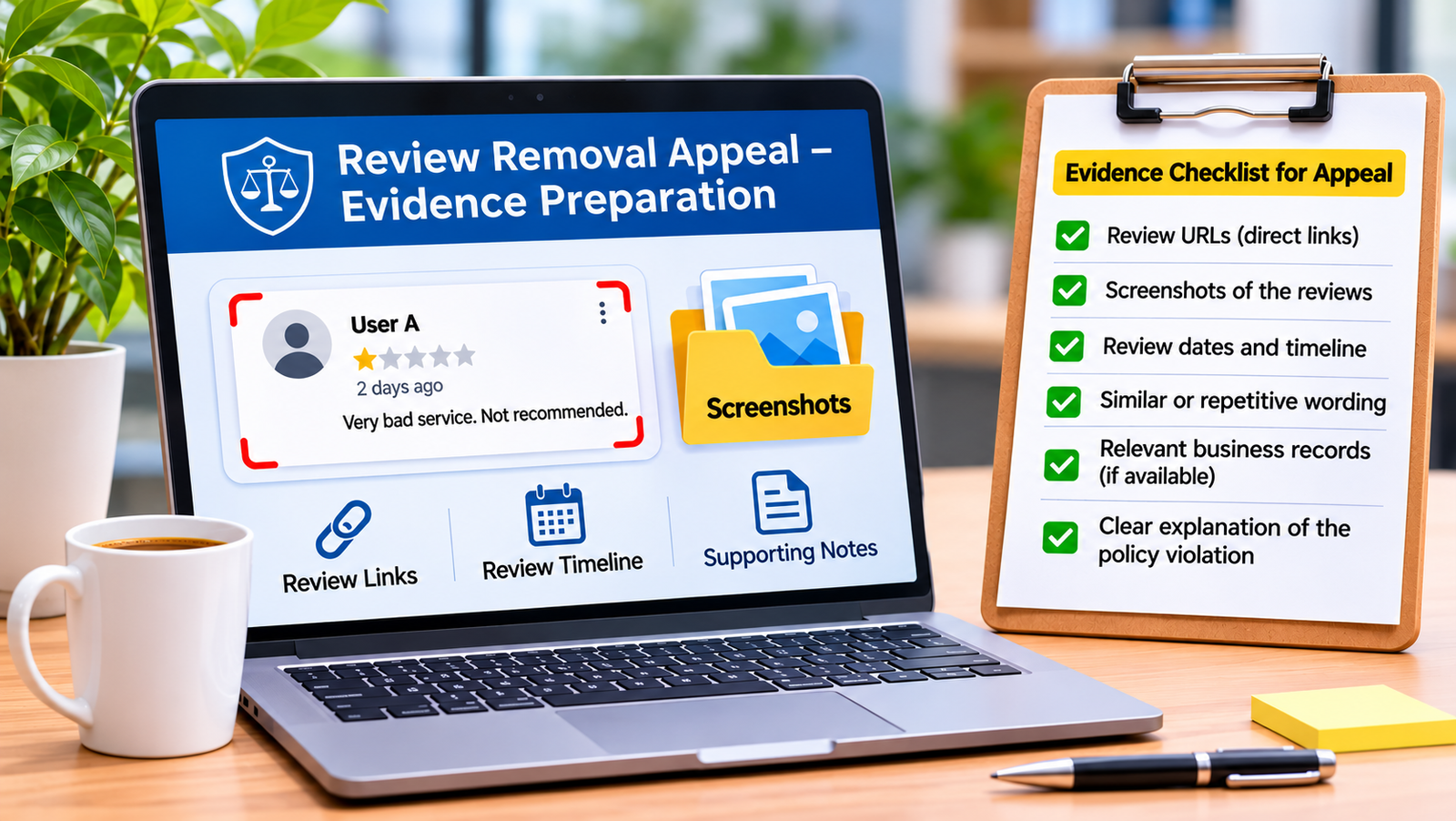
Evidence is important when reporting suspicious review activity.
A clear, organised submission makes it easier to explain the issue and show why you believe a review violates Google’s policies.
Consider preparing the following information.
1. Review Links
Collect the direct links to the suspicious reviews.
This helps identify the exact content you are reporting.
2. Screenshots
Save screenshots showing:
- The review text.
- The star rating.
- The visible reviewer name.
- The review date.
- Any relevant public information.
Keep the original screenshots unchanged.
3. Review Dates and Timeline
Prepare a simple timeline showing when the reviews appeared.
For example, record whether several suspicious reviews were posted within a short period.
4. Similarities Between Reviews
If multiple reviews contain similar wording or refer to the same unrelated issue, document those similarities.
Do not assume that similar timing alone proves the reviews were coordinated.
5. Relevant Business Records
Where appropriate, check whether the review appears to relate to an actual customer interaction.
Businesses may refer to appointment records, service records, booking information, or customer communication.
However, do not disclose confidential customer information or sensitive personal details in a public response or an appeal unless the official process specifically requires relevant information and it can be shared securely.
This is particularly important for healthcare providers, clinics, rehabilitation centres, and other businesses handling sensitive information.
6. A Clear Explanation of the Policy Violation
For each review, explain:
- What the review contains.
- Which Google policy may apply.
- Why you believe the content violates that policy.
- What supporting information is available.
A factual explanation is more useful than an emotional complaint.
How to Contact Google Business Profile Support
If you have already reported the reviews and need further assistance, you can use Google’s official Business Profile Help resources.
The general process is:
- Visit Google Business Profile Help.
- Select the relevant support topic.
- Follow the available contact options.
- Explain the issue clearly.
- Provide relevant review links and evidence when requested.
- Keep a record of your support communication and any reference numbers.
Official support resource:
https://support.google.com/business/
Google’s available support channels may vary depending on the issue, account, and region.
A business should use official Google support channels and avoid anyone claiming to have a private connection that guarantees review removal.
What Should You Do While Waiting for Google’s Decision?
Do not ignore your Business Profile while waiting for a review decision.
A professional response can reassure potential customers that the business takes feedback seriously.
Respond Calmly and Professionally
Avoid arguments with reviewers.
Do not accuse someone of being a competitor or fake reviewer unless you have reliable evidence and an appropriate reason to make that claim.
A simple response may be enough:
“Thank you for sharing your feedback. We take customer concerns seriously and would like to understand the matter better. Please contact our team through our official contact details so that we can look into your concern.”
Protect Customer Privacy
Never publish private customer records, medical details, appointment information, phone numbers, or personal correspondence in a public review response.
For healthcare businesses, protecting patient confidentiality is especially important.
Continue Providing Good Service
Do not allow suspicious online activity to distract your team from genuine customers.
Continue delivering your services and maintaining professional customer communication.
Encourage Genuine Customer Feedback
You can invite genuine customers to share honest feedback about their experience.
Do not buy reviews, offer discounts for positive ratings, ask only satisfied customers to review, or pressure customers to change negative reviews.
Google permits businesses to request genuine reviews without incentives or attempts to influence the rating or content.
How to Protect Your Google Business Profile Reputation
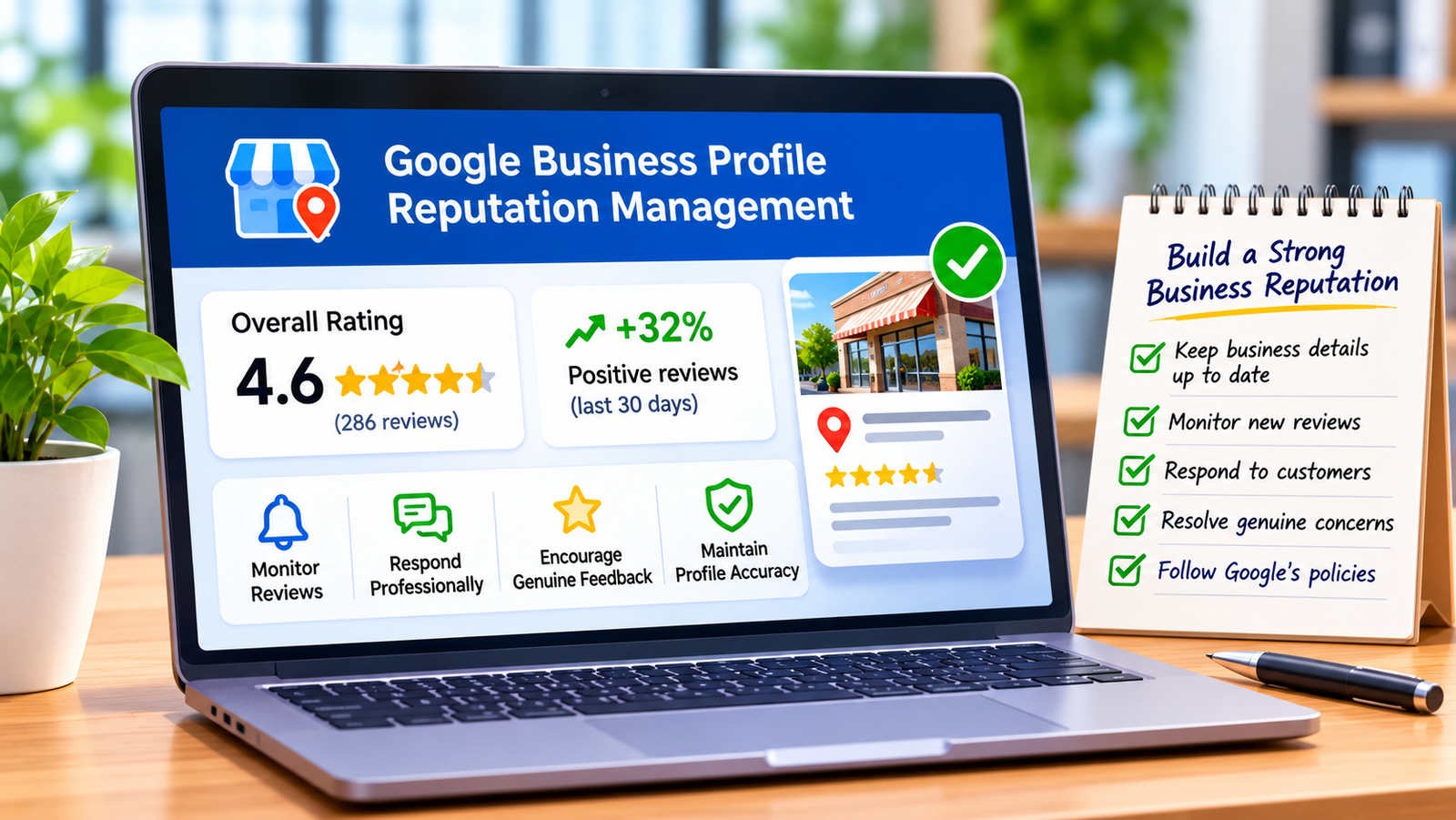
Removing policy-violating reviews is only one part of online reputation management.
Businesses should follow a consistent process to monitor their online presence.
Monitor New Reviews Regularly
Check your Google Business Profile regularly.
Pay attention to unusual changes in review volume, repeated comments, and sudden rating changes.
Respond to Genuine Negative Reviews
Not every negative review needs to be reported.
If a genuine customer raises a concern, respond professionally and try to resolve the issue.
Maintain Accurate Business Information
Keep your business name, address, phone number, website, working hours, and services accurate.
This helps customers understand your business before contacting you.
Encourage Authentic Reviews
Make it easy for genuine customers to leave feedback.
Never offer money, discounts, gifts, or free services in exchange for positive reviews.
Review Your Overall Online Presence
Your reputation is not limited to Google.
Customers may also visit your website, social media profiles, and other business directories before choosing a service provider.
Your Google Business Profile should be monitored and maintained regularly. Accurate business information, profile optimisation, customer engagement, and professional review management all contribute to a stronger local presence. Explore Google My Business Optimization (GMB) services from Digital Hari to improve your business profile and local visibility.
Can a Digital Marketing Agency Help Remove Fake Google Reviews?
Yes. A digital marketing professional can assist with the investigation, documentation, reporting, appeal preparation, and follow-up process.
However, there is an important distinction between helping with the process and guaranteeing the outcome.
Only Google can decide whether a reported review violates its policies and should be removed.
A professional service can help businesses approach the issue in an organised and evidence-based way.
Professional assistance may also include reviewing your existing Google Business Profile, improving profile information, managing customer feedback, and developing a long-term reputation strategy. Learn more about Google Business Profile Optimization Services.
What Does Google Review Reporting Assistance Include?
A professional review reporting service may include the following activities.
1. Initial Review Assessment
Examine the suspicious reviews and identify possible policy violations.
2. Review Pattern Analysis
Check review dates, wording, visible reviewer activity, and other relevant patterns.
3. Evidence Organisation
Prepare review links, screenshots, timelines, and supporting information.
4. Google Review Reporting
Assist with submitting reports through Google’s official reporting tools.
5. Appeal Preparation
Help prepare a clear appeal explaining the relevant policy concerns and available evidence.
6. Google Support Follow-Up
Assist with contacting Google Business Profile Support through available official channels and tracking responses.
7. Reputation Management Guidance
Recommend appropriate review monitoring, professional responses, and genuine customer feedback practices.
These services focus on legitimate reporting and reputation protection. They do not involve removing genuine negative reviews, manipulating ratings, or using unauthorised methods.
How Digital Hari Can Help With Google Review Removal Assistance
At Digital Hari, we understand that suspicious negative reviews can create problems for local businesses, healthcare providers, restaurants, hotels, and service companies.
We provide assistance with Google review reporting and online reputation management activities.
Our approach focuses on reviewing the available evidence, identifying possible policy violations, and using Google’s official reporting and appeal procedures.
Our Process
Step 1: Initial Consultation
We understand the issue, review the Business Profile, and discuss the suspicious reviews.
Step 2: Review Assessment
We examine the available review information and identify potential policy concerns.
Step 3: Evidence Preparation
We organise review links, screenshots, timelines, and supporting details.
Step 4: Reporting and Appeal Assistance
We help submit appropriate reports and prepare appeals where the reviews are eligible.
Step 5: Support Follow-Up
We assist with available Google Business Profile Support communication and follow-up.
Step 6: Reputation Protection Recommendations
We provide practical suggestions for monitoring reviews and maintaining a professional online presence.
What About Charges and Timelines?
The cost depends on the number of reviews, complexity of the issue, evidence available, and the amount of reporting and appeal assistance required.
We recommend an initial assessment before providing a quotation.
Google controls the review evaluation and appeal process. Its review evaluation typically takes several days, but appeals and support follow-ups can take longer. Therefore, we cannot promise a fixed removal date or guarantee that Google will remove a reported review.
We provide transparent service information and explain the expected work before starting.
Need help with suspicious Google reviews?
Contact Digital Hari to discuss your Google Business Profile review concerns.
Website: https://digitalhari.in/
Frequently Asked Questions About Fake Google Review Removal
1. Can Google remove fake 1-star reviews?
Yes. Google can remove reviews that violate its content policies, including fake engagement, spam, rating manipulation, harassment, and other prohibited content. However, a negative rating alone is not grounds for removal.
2. How do I report fake reviews on Google?
Open your Google Business Profile, find the review, select the report option, choose the relevant policy reason, and submit it. You can also use Google’s Reviews Management Tool to report reviews and check their status.
3. Can multiple suspicious reviews be reported together?
You can report individual reviews through Google’s reporting process. If multiple reviews are eligible for appeal, Google’s current one-time appeal process allows up to 10 reviews to be selected in one submission.
4. How long does Google take to remove a fake review?
Google says review evaluation typically takes several days. However, the actual timeline depends on the case, and an appeal or support follow-up may take longer. Removal is not guaranteed.
5. Can a business remove a genuine negative review?
A business cannot request removal simply because it disagrees with a genuine negative review. The review must violate Google’s policies to qualify for removal.
6. Can a digital marketing agency help with Google review removal?
Yes. An agency can help assess suspicious reviews, organise evidence, submit reports, prepare appeals, and assist with official support communication. However, only Google makes the final removal decision.
7. What should I do if Google rejects my appeal?
Review Google’s decision and check whether the review is eligible for the available one-time appeal process. If it is, provide a clear explanation supported by relevant evidence. Avoid submitting repeated reports without new information.
8. Can fake reviews affect my Google Business Profile rating?
Yes. Negative ratings can change the overall average rating displayed on a Business Profile. However, the effect depends on the number of existing reviews and the ratings received.
9. Should I reply to suspicious 1-star reviews?
You can respond professionally if appropriate, but avoid accusations, arguments, and disclosure of private information. If you believe the review violates Google’s policies, report it separately.
10. Can Google remove reviews posted by competitors?
Google prohibits reviews based on conflicts of interest and content intended to undermine another business. If you have evidence suggesting this type of activity, report the relevant reviews and explain the policy concern. Do not make unsupported accusations.
Final Thoughts: Protect Your Business Reputation the Right Way
Suspicious Google reviews can be stressful, especially when a business receives multiple negative ratings within a short period.
However, the best response is not to panic, argue with reviewers, or attempt to manipulate your rating.
Start by identifying the reviews, documenting the available evidence, checking Google’s policies, and reporting genuine policy violations through official channels.
If an appeal is available, prepare a clear explanation supported by relevant information.
Businesses should also continue improving their websites, customer experience, and online reputation.
Digital Hari supports businesses with SEO, website development, content marketing, and digital marketing services.
Explore our services:
- Google My Business Optimization (GMB)
- Search Engine Optimization (SEO)
- Content Marketing
- Website Design and Development
- WordPress Web Development
- Answer Engine Optimization (AEO)
- Generative Engine Optimization (GEO)
- AI Search Optimization
Need professional assistance with suspicious Google reviews?
Visit https://digitalhari.in/ and contact Digital Hari to discuss your requirements.