
Google Search is becoming less dependent on the traditional search box.
People don’t always type a question anymore.
They can point their phone at a product, take a screenshot, upload an image, circle something on their screen, or right-click an image and ask Google to find more information.
Until now, much of that behavior was difficult for website owners and SEOs to measure separately.
That is changing.
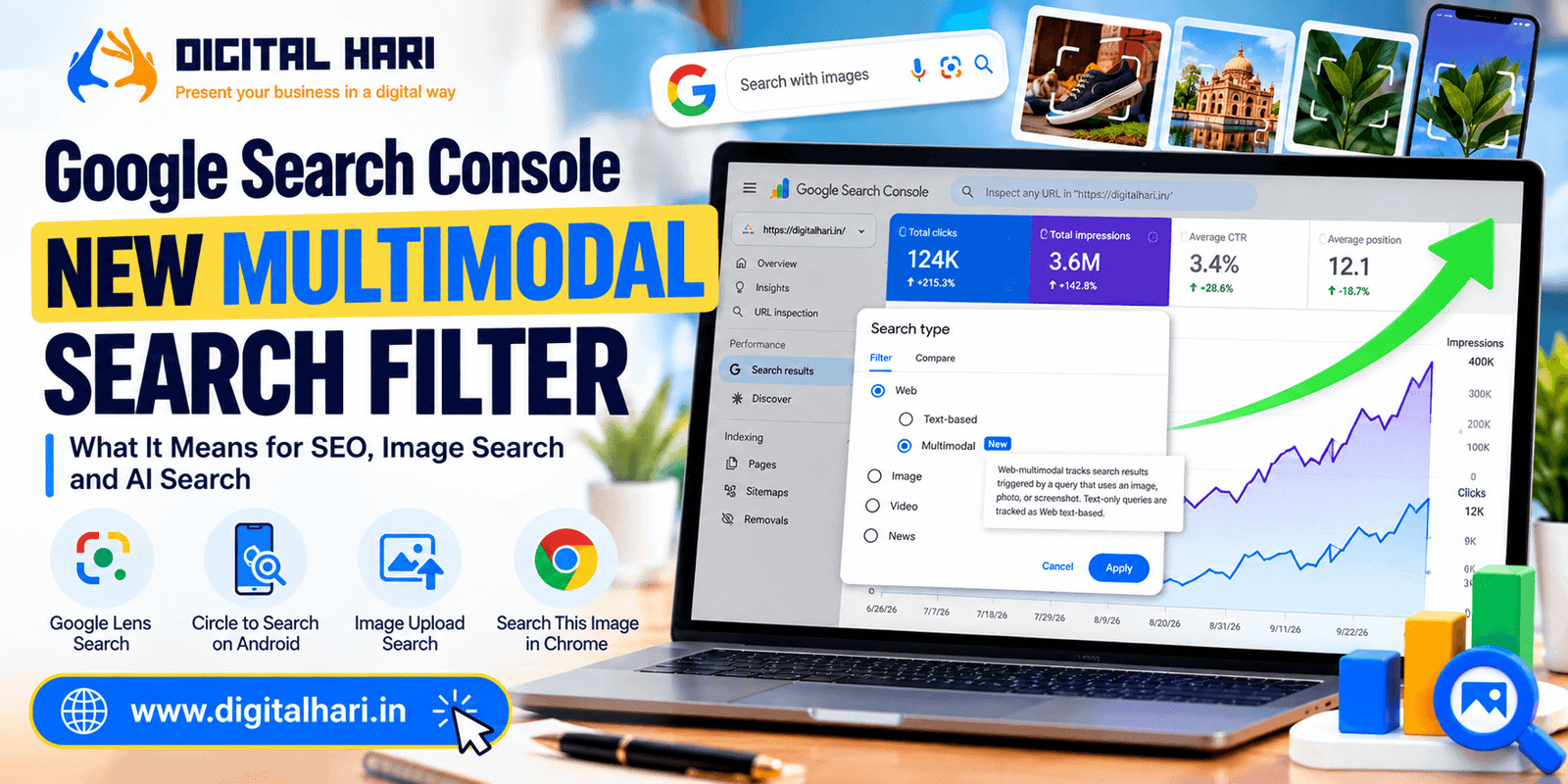
On September 24, 2026, Google announced a new multimodal search reporting feature in Google Search Console. A new Multimodal option is appearing under the Search type filter in the Performance reports. Google says the reporting covers searches involving Google Lens, Circle to Search on Android, image uploads to Google Search, and Chrome’s “Search this image” feature.
For SEOs, publishers, ecommerce businesses, image-heavy websites, and anyone working on AI Search optimization, this is an important development.
It gives website owners another way to understand how people discover their content when an image is part of the search.
And the timing is interesting.
Search is becoming increasingly visual, conversational, and multimodal at the same time that AI-powered search experiences are becoming more important.
What Is the New Multimodal Filter in Google Search Console?
The new Multimodal filter separates image-assisted searches from traditional text-based web searches.
In the Search Console interface, under Search type → Web, you can now see options such as:
- Text-based
- Multimodal
The screenshot I shared with this article shows exactly this new option in Search Console.
A traditional text-based search might look like:
“best running shoes for beginners”
A multimodal search could begin with someone showing Google a picture of a pair of running shoes and asking Google to identify them or find similar information.
The user doesn’t necessarily need to type the complete query.
That difference is important.
Google defines web multimodal reporting as search results triggered by a query that uses an image, photo, or screenshot, while text-only searches remain in the Web text-based category.
Which Google Search Experiences Are Included?
Google’s official announcement identifies four major sources of multimodal searches currently covered by this reporting.
1. Google Lens
Google Lens allows users to search using their camera or an existing image.
For example, a person might photograph:
- A product
- Clothing
- A building
- A plant
- A piece of furniture
- A landmark
- A package
- A printed document
Google can then use visual understanding to identify or interpret what is in the image and return relevant Search results.
Search Console can now help website owners see when their pages receive visibility from this type of search.
2. Circle to Search on Android
Circle to Search lets users select something visible on their Android screen and search for it.
Instead of copying a product name or describing an object manually, the user can visually select it.
That changes the search journey.
The starting point is no longer necessarily:
Question → Search
It can become:
See something → Select it → Search
Google now includes this type of activity in its multimodal reporting.
3. Image Uploads to Google Search
Users can also upload an image to Google Search.
The image itself becomes part of the search request.
This can be useful when the user doesn’t know:
- What an object is
- What a product is called
- Where an item is sold
- What a particular design represents
- What information is associated with something visible in a photograph
For websites with strong visual content, this creates another potential discovery path.
4. Chrome “Search This Image”
Chrome users can right-click an image and choose the option to search for it.
That action is also included in the new Search Console multimodal reporting.
So the new filter isn’t tied to just one Google product.
It combines several image-led search experiences into one reporting category.
Why Is This Google Search Console Update Important?
At first, this may look like a small reporting change.
It isn’t just another filter.
The bigger value is that Google is giving website owners visibility into a search behavior that was previously difficult to isolate.
Imagine an ecommerce website selling watches.
A customer sees a watch in a photograph.
They don’t know the brand.
They use Lens.
Google identifies relevant information and eventually sends them to a product page.
Previously, the website owner might see Search traffic without being able to clearly understand that the discovery began with an image.
Now, the owner can filter Search Console performance to examine multimodal search activity.
That creates a new measurement opportunity.
What Data Does the Multimodal Filter Show?
For the Search results Performance report, the new multimodal filter can be used to examine performance associated with image-led searches.
Search Engine Watch reports that the Search results view provides:
- Clicks
- Impressions
- Pages
- Countries
- Devices
- Dates
You can also compare the same page’s multimodal performance with its text-based Search performance.
This is useful because it changes the question from:
“How much traffic does this page get from Google?”
to:
“How much of this page’s Google visibility comes from text-based versus image-assisted searches?”
That is a much more useful SEO question.
There Is One Important Limitation: No Query Data
This is probably the most important limitation to understand.
The new multimodal reporting does not provide normal query-level data for these searches.
Why?
Because many multimodal searches begin with an image rather than a traditional text query.
Google explains that specific text query data isn’t available for this type of traffic because multimodal searches primarily use images.
So you may see:
Page → Impressions → Clicks
but not necessarily:
Page → Exact search phrase
That means you need to interpret the data differently.
What You Can See vs What You Can’t See
You can analyze:
- Which pages receive multimodal visibility
- Impressions
- Clicks
- Countries
- Devices
- Dates
- Trends over time
You cannot currently rely on:
- Exact text queries used in the multimodal search
- The actual image the user submitted
- A separate report for each individual visual-search entry point
Search Engine Watch notes that Google groups Lens, Circle to Search, image uploads, and Chrome’s image-search action under the multimodal category rather than providing separate totals for each source.
This is an important limitation.
Does Search Console Show the Image the User Searched?
No.
The new report doesn’t show you the photograph, screenshot, or camera image used by the searcher.
Instead, it gives you performance information about your website’s pages.
As Google’s John Mueller explained in the discussion around the launch, the report can show which pages appeared and how often, but it doesn’t show the image itself.
So think of the report as a performance measurement layer, not a visual-search replay tool.
Multimodal Search Is Also Appearing in the Generative AI Report
This is where the update becomes even more interesting.
Google says multimodal reporting is being added not only to the normal Search results Performance report, but also to the Generative AI features performance report.
That means image-led searches can also be connected with Google’s AI-powered search experiences.
Search Engine Watch reports that the Generative AI report can show multimodal impressions associated with AI Overviews and AI Mode.
However, there is an important distinction:
Search results report
Can provide:
- Clicks
- Impressions
Generative AI report
Currently focuses on:
- Impressions
The Generative AI reporting does not provide the same click/query detail as the standard Search results report.
Why This Matters for AI Search SEO
This is where I think SEOs should pay attention.
AI Search isn’t only about text.
Users can increasingly interact with search systems using:
- Images
- Screenshots
- Camera input
- Visual selections
- Text
- Voice
- Combined inputs
This is what multimodal search means in practical terms.
A website that only thinks about text keywords may miss part of this discovery journey.
For example, a product page may rank for:
“blue running shoes”
But a user may never type that phrase.
They might upload a picture of a shoe.
Google may interpret the image, understand the product or category, and then surface relevant pages.
The SEO opportunity is therefore expanding from:
“What words are people typing?”
to:
“What information can Google understand from the visual content on my page?”
What Does This Mean for Ecommerce SEO?
Ecommerce websites are likely to be among the most obvious beneficiaries of this new reporting.
Think about categories such as:
- Fashion
- Furniture
- Electronics
- Jewellery
- Home decor
- Automotive
- Beauty
- Sports equipment
- Food
- Travel products
A customer may discover a product visually before knowing what to search for.
For example:
Someone sees a particular chair.
They take a photo.
Google identifies similar chairs.
Your website appears.
The customer visits the product page.
That is a completely different discovery path from:
Keyword → Google → Product page
It becomes:
Image → Google understanding → Product page
Search Console now gives businesses a way to measure part of that journey.
What Does This Mean for Image SEO?
Image SEO has been important for years.
But measurement has always been one of the harder parts.
The new filter makes image optimization more interesting because you can now look at whether visual discovery is contributing to Search performance.
That doesn’t mean you should suddenly rename every image on your website.
Instead, focus on making your images understandable.
1. Write Useful Alt Text
Alt text should describe what the image actually shows.
Bad:
shoes seo best shoes running shoes shoes online
Better:
Black men's running shoes with white sole
The second description is useful to people and provides clearer context.
Don’t turn alt text into a keyword list.
2. Use Descriptive File Names
Compare:
IMG_4829.jpg
with:
black-mens-running-shoes.jpg
A descriptive filename gives additional context about the image.
It isn’t a magic ranking factor by itself.
But it is good image organization and clearer machine-readable context.
3. Give Images Page Context
An image shouldn’t exist in isolation.
If you have a product image, the surrounding page should clearly explain:
- What the product is
- What it does
- Its brand
- Its model
- Its features
- Relevant specifications
Google can then connect the visual asset with the surrounding textual information.
This is particularly important for ecommerce and product pages.
4. Use Structured Data Where Appropriate
For ecommerce websites, structured data can help Google understand the relationship between:
- Product
- Brand
- Image
- Price
- Availability
- Reviews
- Other product information
For local businesses, relevant structured data can also help establish business and location context.
The goal isn’t to add schema simply because “schema helps SEO.”
The goal is to give search engines clear, machine-readable information about the content.
5. Use High-Quality Images
Visual search depends on visual understanding.
That makes image quality important.
Avoid relying entirely on:
- Extremely blurry images
- Tiny product photos
- Images with important information hidden
- Excessively compressed visuals
- Unclear screenshots
Use images that clearly show the subject.
For products, consider providing multiple useful views where appropriate.
6. Don’t Forget Mobile
A large portion of visual search behavior happens in mobile environments.
Lens and Circle to Search are especially relevant to mobile discovery.
So your image-heavy pages should work well on mobile devices.
Check:
- Image loading
- Page speed
- Responsive layouts
- Product galleries
- Mobile navigation
- Text readability
A great image doesn’t help much if the resulting page is difficult to use.
How to Find the New Multimodal Filter in Search Console
You can check your own property.
Step 1
Open Google Search Console.
Step 2
Select your website property.
Step 3
Go to:
Performance → Search results
Step 4
Click:
Search type
Step 5
Under Web, look for:
Multimodal
Step 6
Apply the filter.
You can then review the available performance data.
Search Engine Watch also notes that the new filter can be used alongside the existing reporting dimensions such as pages, countries, devices, and dates.
What If You Don’t See the Multimodal Option?
Don’t assume something is wrong.
Google announced that the feature is rolling out globally starting September 24, 2026.
Google also says you’ll start seeing these metrics if your site receives traffic from qualifying multimodal searches.
So availability and data can depend on the rollout and your property’s qualifying activity.
Search Engine Watch specifically advises checking the date range and allowing for the rollout to complete.
Why Some Websites May See No Data
There are several possible reasons.
Your website receives little visual-search traffic
There may simply not be enough qualifying activity.
Your content isn’t visually discoverable
If your site contains few meaningful images, there may be limited opportunity.
The rollout hasn’t reached your property fully
The feature is being rolled out globally.
Your date range doesn’t contain available data
The available historical range may differ by property.
Search Engine Watch notes that one property it tested showed data back to September 10, but Google has not announced a single universal historical starting date for every website.
So don’t assume September 10 is the official starting date for everyone.
A Very Important Data Point: This Is New Reporting
There was some early confusion about whether Google was simply separating existing Web data into:
Text-based + Multimodal
or whether the company was adding new data that wasn’t previously included.
Search Engine Roundtable initially reported observations suggesting some people saw corresponding changes in their Web metrics.
Google’s John Mueller then checked with the team and said the multimodal data wasn’t previously included in the counts and that the report contains new data.
This is important.
If your historical Search Console numbers change around this rollout, don’t automatically interpret the change as:
“My website lost SEO traffic.”
The reporting methodology itself has changed.
You should compare the new categories carefully.
How SEOs Should Analyze This Data
Don’t simply look at the total number.
Look for patterns.
For example:
Question 1
Which pages receive the most multimodal impressions?
Question 2
Which pages receive clicks?
Question 3
Which countries generate the most visual-search activity?
Question 4
Which devices generate the activity?
Question 5
Are product pages receiving more multimodal traffic than blog pages?
Question 6
Is multimodal traffic increasing over time?
Question 7
How does the same page perform in text-based search?
These questions can turn a new Search Console filter into an actual SEO strategy.
Compare Text-Based and Multimodal Search
This is probably one of the most useful experiments you can run.
Suppose your product page receives:
Text-based search
- 5,000 impressions
- 300 clicks
and:
Multimodal search
- 800 impressions
- 70 clicks
The second number may look small compared with traditional search.
But it tells you something important:
People are discovering that product through images as well as keywords.
Now investigate that page.
What images are generating the visibility?
You won’t necessarily know the exact image query, but you can identify the page receiving the traffic.
That can guide your image optimization work.
Multimodal SEO Is Not Just Image SEO
This distinction matters.
Image SEO focuses heavily on making images discoverable and understandable.
Multimodal SEO is broader.
It considers how users combine visual inputs with search systems.
That could include:
- Images
- Screenshots
- Camera searches
- Visual product discovery
- Text + image combinations
- AI-powered search
- Visual understanding
- Page context
So the new Search Console report is a useful step toward measuring a wider search behavior.
What About Publishers?
This isn’t only for ecommerce.
Publishers can benefit too.
Consider websites covering:
- Travel
- Architecture
- Food
- Fashion
- Photography
- Technology
- Automotive
- DIY
- Education
- News
- Reviews
A user might search visually for an object, location, product, screenshot, or design.
If your article contains strong visual content and useful supporting information, your page may become part of that discovery journey.
The new report helps publishers understand whether that is happening.
What About Local Businesses?
Local businesses should also pay attention.
Imagine someone sees a restaurant sign while walking through a neighborhood.
They take a photo.
Or they see a storefront in a friend’s photograph.
They use Lens.
Visual search may help connect that image to information about the business.
That makes visual identity increasingly relevant to local search.
Useful assets can include:
- Exterior photos
- Interior photos
- Products
- Menus
- Service images
- Location images
- Team images
- Brand signage
Of course, this doesn’t replace a properly maintained Google Business Profile or traditional local SEO.
It adds another discovery path.
What About AI Search?
This is where the update gets particularly interesting.
Google is not treating multimodal search as completely separate from its AI search ecosystem.
The new reporting is also being integrated into the Generative AI features performance report.
This suggests that Google wants website owners to understand performance across a search environment where the input itself may be visual.
For AI Search optimization, this reinforces an important principle:
Your content needs to be understandable in more than one format.
A page can contain:
- Text
- Images
- Product information
- Structured data
- Captions
- Tables
- Video
- Supporting context
The stronger the relationship between these elements, the easier it can be for search systems to understand what the page is about.
Does This Mean You Need More Images?
Not necessarily.
More images do not automatically mean better SEO.
The goal is:
Relevant visual content + useful page context + technical accessibility
not:
More images = better rankings
If an image doesn’t help the user, don’t add it simply because multimodal search exists.
Should You Optimize Every Image for Keywords?
No.
This is an easy mistake to make.
Don’t turn:
Alt text
into:
Keyword stuffing
Don’t name every file:
best-seo-company-best-seo-services-seo-agency.jpg
when the image simply shows an office.
Describe what the image actually represents.
Good image SEO is about accuracy and context, not stuffing.
A Practical Multimodal SEO Checklist
Here is a simple checklist I would use.
Image basics
☐ Descriptive filenames
☐ Useful alt text
☐ High-quality images
☐ Appropriate compression
☐ Responsive images
Page context
☐ Relevant heading
☐ Useful surrounding text
☐ Clear product/service information
☐ Captions where appropriate
Technical SEO
☐ Images crawlable
☐ Pages indexable
☐ Mobile-friendly layout
☐ Fast image delivery
☐ Appropriate structured data
Ecommerce
☐ Product structured data
☐ Product images
☐ Clear product names
☐ Brand information
☐ Availability and pricing where applicable
Measurement
☐ Check Search Console
☐ Filter Web → Multimodal
☐ Review pages
☐ Review countries
☐ Review devices
☐ Compare with Text-based search
☐ Export the data when useful
What SEOs Should Do Now
You don’t need to completely rebuild your SEO strategy because of this update.
Instead, I would take five practical steps.
1. Check Search Console
See whether the Multimodal option is available.
2. Establish a baseline
Record the current:
- Impressions
- Clicks
- Pages
- Countries
- Devices
3. Identify your visual pages
Find your:
- Product pages
- Image-heavy articles
- Service pages
- Location pages
- Visual guides
4. Improve weak images
Fix obvious issues such as:
- Generic filenames
- Missing alt text
- Poor-quality images
- Weak surrounding context
5. Monitor over time
Don’t judge the channel after one day.
Look for trends over several weeks and months.
What We Still Don’t Know
This update is new, so there are still some unanswered questions.
For example:
- How large will multimodal search become relative to traditional search?
- Will Google expose more detailed visual-search reporting later?
- Will query-like context eventually become available?
- Will Google separate Lens, Circle to Search, and image uploads into individual categories?
- How will multimodal search evolve inside AI Mode?
- How will ecommerce brands use this data at scale?
- What new SEO tools will emerge around multimodal visibility?
These questions are worth watching.
But we don’t need to wait for every answer before using the data that Google has already provided.
The Bigger SEO Shift
For years, SEO conversations have revolved around:
Keywords → Rankings → Clicks
Then search became more conversational:
Questions → Answers → Clicks
AI Search pushed the industry toward:
Queries → Retrieval → AI answers → Citations → Clicks
Now multimodal search adds another layer:
Image → Understanding → Search → Result → Website
The search journey is becoming less predictable and less dependent on typed keywords.
That’s why SEO professionals need to start thinking beyond traditional keyword research.
My Take on the New Multimodal Search Console Data
For me, the most interesting part isn’t simply that Google added another filter.
It’s that Google is giving website owners visibility into a different way people discover information.
A user doesn’t always know the right words.
Sometimes they know what something looks like.
They might not know the product name.
They might not know the brand.
They might not know the exact question.
But they can show Google an image.
That changes the starting point of Search.
And now, at least to some extent, website owners can measure what happens after that visual search begins.
That makes this more than an interface update.
It is another sign that Search is becoming multimodal by default.
Final Thoughts
Google Search Console’s new Multimodal filter gives SEOs, publishers, ecommerce brands, and website owners a new way to understand visual search performance.
Google says the reporting covers Lens, Circle to Search on Android, image uploads to Google Search, and Chrome’s “Search this image” feature, with the data rolling out globally from September 24, 2026.
For Search results, you can analyze clicks and impressions and break the information down by pages, countries, devices, and dates. For Google’s Generative AI performance reporting, multimodal impressions are also available, although the reporting remains more limited.
The biggest limitation is that exact query data isn’t available for multimodal searches because the search can be driven primarily by an image rather than text.
So don’t expect this report to tell you exactly what somebody typed.
Instead, use it to answer a different question:
Which parts of my website are being discovered when people search with images?
That is a valuable question.
For ecommerce brands, publishers, local businesses, photographers, product websites, and image-heavy content creators, this could become an increasingly useful part of SEO reporting.
And for anyone working on AI Search optimization, it is another reminder that the future of search is not only about keywords.
People search with words.
People search with images.
People search with screenshots.
People search with cameras.
And increasingly, people combine all of them.
SEO needs to evolve with that behavior.
About Digital Hari
Hariharan Gandhi, founder of Digital Hari, writes about SEO, Google Search, AI Search, digital marketing, content strategy, and emerging changes in the search ecosystem.
At Digital Hari, the focus is on explaining new Search developments in simple language and turning them into practical ideas that website owners, marketers, publishers, and businesses can actually use.
Digital Hari — Present your business in a digital way.
Frequently Asked Questions
Go to Google Search Console → Performance → Search results → Search type → Web → Multimodal. The feature is being rolled out globally, and data appears when a property receives qualifying multimodal search activity.
No. Exact query data is not currently available for the multimodal search type because these searches can be based primarily on images rather than text.
Yes. Google is also adding multimodal reporting to the Generative AI features Performance report. This can provide information about multimodal impressions in AI-powered search experiences, although the available reporting is more limited than the standard Search results report.
Start with strong image SEO fundamentals: use relevant high-quality images, descriptive filenames, accurate alt text, useful surrounding page content, appropriate structured data, mobile-friendly pages, and fast image delivery. Then use the new Search Console Multimodal report to understand which pages are receiving visual-search visibility. 1. What is the new Multimodal filter in Google Search Console?
2. Where can I find the Multimodal filter in Search Console?
3. Does Google Search Console show the exact query for multimodal searches?
4. Does the new multimodal report include AI Search?
5. How can I optimize my website for multimodal search?