
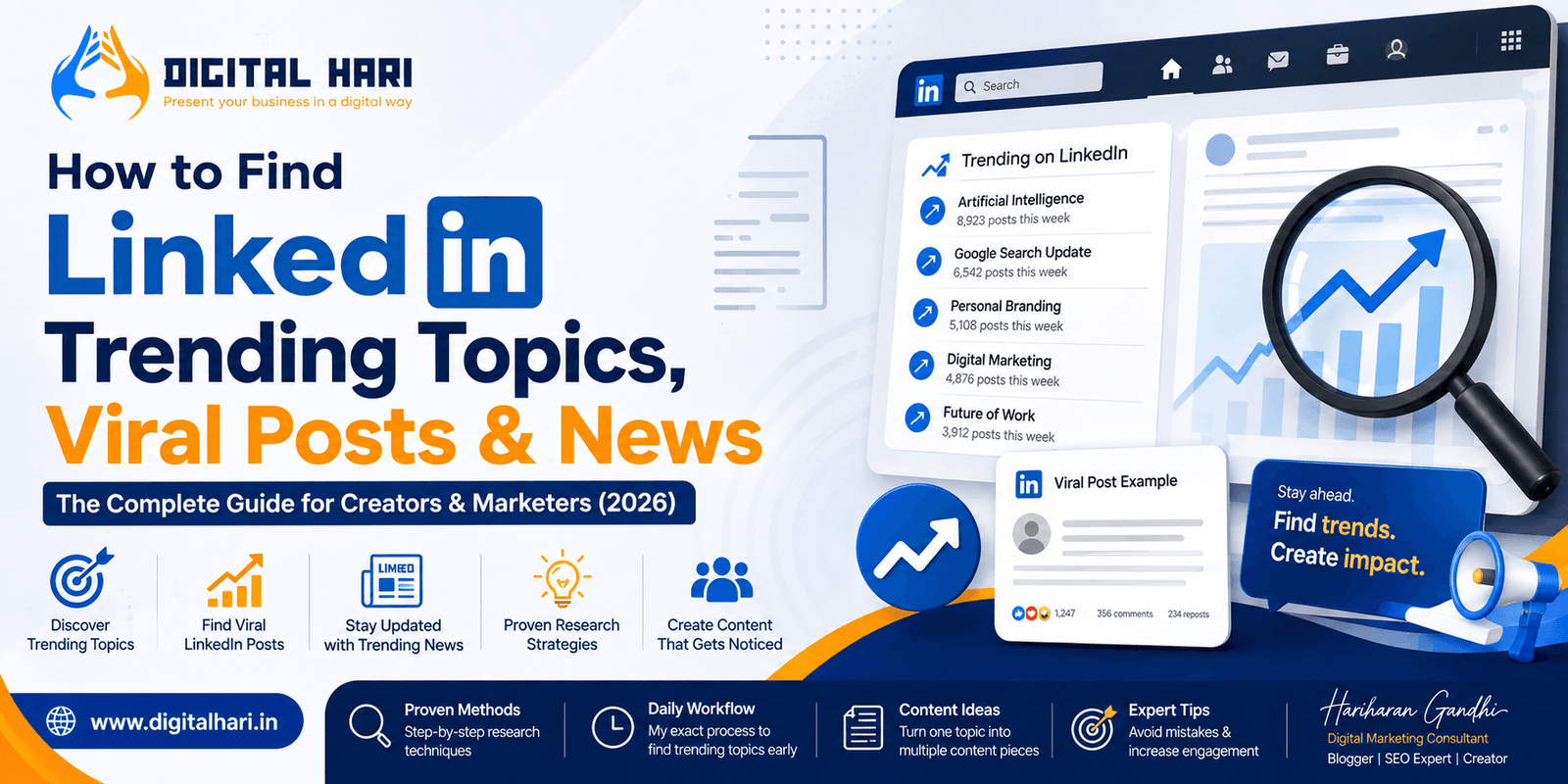
LinkedIn is no longer just a platform for job seekers and recruiters.
Over the past few years, it has evolved into one of the world’s most influential professional content platforms. Every day, millions of professionals, entrepreneurs, CEOs, marketers, developers, recruiters, business owners, creators, and students use LinkedIn to learn, share ideas, and build their personal brands.
If you’ve spent even a few minutes scrolling through your LinkedIn feed, you’ve probably noticed something interesting.
Some posts receive only a handful of likes.
Others attract thousands of reactions, hundreds of comments, countless reposts, and sometimes even appear in Google Search results.
So, what makes these posts different?
Are they simply lucky?
Did the LinkedIn algorithm randomly promote them?
Or did the creators know something that everyone else missed?
After researching LinkedIn content trends almost every day and publishing articles across multiple platforms, I’ve learned one important lesson:
Viral LinkedIn posts rarely happen by accident.
Most successful creators consistently research trending topics before they start writing.
They understand what professionals are currently discussing, what industries are changing, what news is attracting attention, and what questions people genuinely want answered.
That research helps them create content that feels timely, useful, and worth sharing.
The good news is that you don’t need expensive software or a large marketing team to do the same.
In this guide, I’ll walk you through the exact process I use to discover LinkedIn trending topics, identify viral content opportunities, and turn one idea into multiple high-performing posts.
Whether you’re a business owner, digital marketer, freelancer, recruiter, SEO professional, content creator, or someone trying to grow a personal brand, these methods will help you create more relevant and engaging LinkedIn content.
Why Finding LinkedIn Trending Topics Matters
Many people believe success on LinkedIn depends entirely on writing skills.
Writing certainly matters.
But writing about the right topic at the right time matters even more.
Imagine two people publishing equally well-written posts.
The first person writes about a feature that LinkedIn introduced three years ago.
The second person explains a Google Search update that was announced this morning.
Which post is more likely to generate attention?
Most people would naturally engage with the second one because it is timely and relevant.
That’s exactly how trending content works.
People are always searching for fresh information, practical advice, and expert opinions about topics that are currently making headlines.
When you identify these conversations early, your chances of reaching a larger audience increase significantly.
This doesn’t mean you should chase every trending topic.
Instead, focus on trends that align with your expertise and provide genuine value to your audience.
For example:
- An SEO consultant can discuss Google’s latest algorithm updates.
- A recruiter can comment on hiring trends.
- A software developer can explain new programming technologies.
- A business coach can share insights about leadership and productivity.
- A digital marketer can analyze emerging AI tools and marketing strategies.
Choosing relevant trends helps you build authority rather than simply chasing engagement.
What Are LinkedIn Trending Topics?
Before we explore the research methods, it’s important to understand what people actually mean when they search for LinkedIn Trending Topics.
Many users assume LinkedIn has a dedicated page showing the most popular discussions.
The reality is a little different.
LinkedIn trends can generally be divided into four categories.
1. Trending Topics
These are subjects that many professionals are discussing at the same time.
Examples include:
- Artificial Intelligence
- Google Search updates
- Remote work
- Personal branding
- Digital marketing
- Cybersecurity
- Recruitment
- Startups
A trending topic usually lasts for several days or even weeks.
2. Viral LinkedIn Posts
These are individual posts that receive unusually high engagement through reactions, comments, reposts, and profile visits.
Viral posts often include:
- Original opinions
- Industry news
- Personal experiences
- Case studies
- Educational content
- Data-backed insights
3. LinkedIn Trending News
LinkedIn also highlights important business and industry news through its editorial team.
These stories often focus on:
- Technology
- Artificial Intelligence
- Global business
- Finance
- Employment
- Leadership
- Marketing
Commenting on these topics early can significantly increase visibility among professionals who are already following the conversation.
4. LinkedIn Viral Content
Viral content isn’t limited to text posts.
It can also include:
- Documents
- Carousels
- Videos
- Infographics
- Polls
- Newsletters
- Articles
Understanding these different content formats helps you choose the best way to share your expertise.
Is There a LinkedIn Trending Page?
One of the most common questions people ask is:
“Where can I see LinkedIn Trending Topics?”
The answer isn’t as straightforward as many expect.
Unlike platforms such as X, LinkedIn does not provide a single public page showing every trending topic worldwide.
Instead, LinkedIn personalizes your experience based on several factors, including:
- Your industry
- Your location
- Your connections
- The people you follow
- Your recent activity
- Your interests
- Your profile
This means two people may see completely different trending conversations, even if they log in at the same time.
While there isn’t a universal “Trending” page, there are several powerful ways to discover what professionals are talking about—and that’s exactly what we’ll explore throughout this guide.
Why I Decided to Write This Guide
While researching this topic, I noticed that most articles simply recommend following hashtags or using third-party tools.
Those suggestions are useful, but they only scratch the surface.
In my experience, finding genuinely valuable LinkedIn content requires combining multiple sources, understanding search intent, and spotting patterns before they become mainstream.
Over time, I’ve developed a practical workflow that helps me identify trending discussions, validate ideas, and transform a single topic into content for LinkedIn, blogs, social media, and other digital platforms.
Throughout this guide, I’ll share that workflow in simple, step-by-step English so you can apply it to your own content strategy.
Method 1: Use LinkedIn News to Discover Trending Topics
One of the easiest—and most overlooked—ways to find LinkedIn trending topics is by using LinkedIn News.
Many creators spend hours searching for ideas while ignoring the content that LinkedIn itself highlights.
That’s a mistake.
LinkedIn has an editorial team that curates important business and industry news throughout the day. These topics are selected because they are already generating conversations among professionals.
If LinkedIn is promoting a story, there’s a good chance people are reading it, discussing it, and searching for more information.
Instead of copying the news, ask yourself:
- What does this mean for my industry?
- Can I explain this in simpler terms?
- Do I have a personal experience related to it?
- Can I provide an opinion supported by facts?
For example, if Google announces a major Search Console update, don’t just repost the announcement.
Instead, explain:
- Why the update matters
- Who will benefit
- What businesses should do next
- Common misconceptions
- Practical implementation tips
That approach turns ordinary news into valuable thought leadership.
How to Access LinkedIn News
Finding LinkedIn News is simple.
Depending on your location and account type, you can usually access it from:
- Your LinkedIn homepage
- The “Today’s News” section
- LinkedIn Newsletters
- Mobile app recommendations
The topics shown are personalized based on:
- Industry
- Interests
- Connections
- Geographic location
- Previous engagement
Because of this personalization, your trending topics may differ from someone else’s.
That’s perfectly normal.
Don’t Report the News—Add Value
One mistake I see regularly is people copying headlines and posting them with little or no analysis.
For example:
❌ Google released another Search Console update.
That’s unlikely to generate meaningful engagement.
Instead, try something like this:
✅ Google’s latest Search Console update could change how businesses measure social media visibility. Here’s why marketers should pay attention and what actions I’d recommend.
Notice the difference?
The second version adds insight rather than simply repeating information.
That’s the type of content professionals are more likely to read, comment on, and share.
Method 2: Search for Viral LinkedIn Posts
LinkedIn’s search bar is more powerful than many people realize.
Instead of searching only for people or companies, use it to research conversations.
For example, search for:
- Google AI
- ChatGPT
- SEO
- Artificial Intelligence
- Digital Marketing
- Local SEO
- WordPress
- Recruitment
- Personal Branding
After searching, click the Posts filter instead of People or Companies.
Now study the results.
Don’t look only at the newest posts.
Look for posts that have:
- Hundreds of reactions
- Active discussions
- Meaningful comments
- Multiple reposts
These posts often reveal what your target audience currently cares about.
Look for Patterns Instead of Individual Posts
Many beginners try to copy one successful post.
Experienced creators look for patterns.
Ask yourself:
- What type of headline is working?
- Are people sharing tutorials?
- Are they discussing recent news?
- Are they posting case studies?
- Are they asking questions?
- Are they sharing personal experiences?
When the same style appears repeatedly, you’ve probably identified a trend.
Never copy someone’s content.
Instead, understand why it performed well and create your own unique perspective.
Method 3: Master LinkedIn Search
LinkedIn Search isn’t just for finding people.
It’s also one of the best research tools available.
Instead of broad searches like:
SEO
Search for more specific phrases such as:
- Google Search Console
- AI Search
- AI SEO
- Google AI Mode
- Technical SEO
- Local SEO
- LinkedIn Marketing
- Content Strategy
- Digital Marketing Trends
Specific searches usually produce higher-quality results because they target niche discussions.
Filter Results Correctly
Once you’ve searched, experiment with LinkedIn’s filters.
Try filtering by:
- Recent posts
- Top posts
- People
- Companies
- Events
- Newsletters
Each filter reveals different opportunities.
For example:
Top posts show proven content.
Recent posts help identify emerging trends before they become saturated.
Using both together gives you the best balance between current conversations and high-performing content.
Method 4: Follow Relevant Hashtags
Hashtags still play an important role in content discovery.
Although LinkedIn’s algorithm relies on more than hashtags alone, following industry hashtags helps you monitor ongoing conversations.
Examples include:
Digital Marketing
SEO
Artificial Intelligence
AI
WordPress
Google Search
Local SEO
Cybersecurity
Cloud Computing
Recruitment
Leadership
Startups
Try checking these hashtags several times each week.
You’ll quickly notice recurring discussions.
When multiple creators start talking about the same subject, that’s usually a sign the topic is gaining momentum.
Don’t Overuse Hashtags
Another common mistake is adding twenty hashtags to every LinkedIn post.
That doesn’t improve quality.
Instead, use three to five highly relevant hashtags that accurately describe your content.
For example, if you’re writing about Google’s latest AI Search update:
Good hashtags:
- #SEO
- #AISearch
- #GoogleSearch
- #DigitalMarketing
- #TechnicalSEO
Relevant hashtags help LinkedIn understand your content while making it easier for interested professionals to discover your posts.
Method 5: Learn from Industry Leaders
One of the fastest ways to identify trending topics is by following people who consistently publish high-quality content.
Every industry has professionals who spot important developments early.
Don’t follow them to copy their work.
Follow them to understand:
- Which topics they’re discussing
- How they explain complex ideas
- Which posts generate meaningful conversations
- What questions people ask in the comments
Comments are often even more valuable than the original post.
Readers frequently ask questions that reveal future content opportunities.
If ten people ask the same question, that question deserves its own LinkedIn post—or even a detailed blog article.
Create Your Own Content Calendar
As you research, don’t rely on memory.
Maintain a simple spreadsheet or document with columns like:
- Topic
- Source
- Date discovered
- Search demand
- Target audience
- Content idea
- Status
Over time, you’ll build a library of future content instead of constantly wondering what to post next.
Method 6: Use Google Search to Find LinkedIn Trending Posts
Many people spend all their time searching inside LinkedIn.
I do the opposite.
One of the easiest ways to discover high-performing LinkedIn content is by using Google Search.
Google indexes millions of LinkedIn pages, articles, newsletters, and public posts. With the right search queries, you can uncover valuable discussions much faster than scrolling endlessly through your feed.
Here are a few searches I regularly use:
site:linkedin.com SEOsite:linkedin.com "Artificial Intelligence"site:linkedin.com "Google Search Console"site:linkedin.com/posts "SEO"site:linkedin.com/posts "Digital Marketing"These searches often reveal public LinkedIn posts that are already ranking in Google Search.
The goal isn’t to copy those posts.
Instead, ask yourself:
- Why did Google index this content?
- What made it useful?
- What questions does it answer?
- Can I provide a more detailed explanation?
- Has anything changed since it was published?
This approach helps you create better content instead of repeating what already exists.
Look Beyond the First Result
Don’t stop after opening the first LinkedIn post.
Study several high-performing posts.
You’ll often notice patterns such as:
- Practical tutorials
- Industry opinions
- Breaking news analysis
- Personal experiences
- Case studies
- Step-by-step guides
When similar formats appear repeatedly, it’s a strong indicator that audiences find that style valuable.
Method 7: Use Google Trends Before Writing
One of the biggest mistakes creators make is writing about topics nobody is searching for.
That’s why I always check Google Trends before investing time in a new article or LinkedIn post.
Google Trends helps you understand:
- Whether interest is growing
- Whether interest is declining
- Seasonal search patterns
- Regional popularity
- Related search topics
- Rising search queries
For example, if you notice increasing searches for:
- AI SEO
- Google AI Mode
- LLMs.txt
- Google Search Console
- LinkedIn Marketing
it’s usually a good sign that professionals are actively looking for information.
Publishing content while interest is rising often performs better than waiting until everyone has already covered the topic.
Don’t Chase Every Trend
Google Trends is a guide—not a content calendar.
Just because a topic is popular doesn’t mean you should write about it.
Always ask:
Does this match my expertise?
Can I genuinely help readers?
Can I offer a different perspective?
If the answer is no, skip it.
Building authority is more valuable than chasing temporary traffic.
Method 8: Reddit Is One of the Best Research Tools
This may surprise many people.
Reddit is one of my favorite places to discover future LinkedIn topics.
Why?
Because people ask honest questions.
Unlike polished social media posts, Reddit discussions often reveal:
- Problems people face
- Misconceptions
- Beginner questions
- Industry frustrations
- Emerging technologies
- Practical experiences
If hundreds of people are discussing the same issue on Reddit today, professionals may start discussing it on LinkedIn tomorrow.
That’s an opportunity.
How I Use Reddit
I don’t look for viral memes.
I look for recurring questions.
For example:
- Why is Google indexing changing?
- Is AI replacing SEO?
- How does Google AI Search work?
- What is LLMs.txt?
- Why did my traffic suddenly drop?
If I notice multiple people asking similar questions, I know there’s demand for educational content.
Those discussions often become:
- LinkedIn posts
- Blog articles
- Videos
- Newsletters
- FAQ sections
One discussion can generate several valuable content ideas.
Method 9: X (Twitter) Is Usually Faster Than LinkedIn
If you work in technology, SEO, AI, or digital marketing, X is often where news appears first.
Many announcements from:
- OpenAI
- Microsoft
- Meta
- Anthropic
- WordPress
- Cloudflare
begin circulating on X before they gain traction on LinkedIn.
That’s why I monitor both platforms.
By the time a topic becomes popular on LinkedIn, thousands of professionals may already be discussing it elsewhere.
Publishing early helps establish authority.
Follow Experts, Not Just Brands
Most beginners follow company accounts.
That’s useful.
But individual experts often share insights much earlier.
For example:
Instead of only following Google,
also follow:
- Google Search team members
- Developers
- Engineers
- Product Managers
- Industry researchers
The same principle applies across every industry.
Experts usually explain changes before official marketing content appears.
Method 10: Subscribe to Industry News Websites
One habit that has significantly improved my content research is reading trusted industry publications every morning.
If you’re in SEO or digital marketing, reliable news sources help you stay ahead of important changes.
For example:
- Google Search Central
- Search Engine Journal
- Search Engine Land
- Search Engine Roundtable
- Google Developers Blog
These websites often publish updates before the information becomes widely discussed on LinkedIn.
Reading them early gives you time to research, understand the update, and publish your own perspective while the topic is still gaining attention.
Don’t Just Share News—Explain It
This is where many creators miss an opportunity.
Suppose Google releases a new Search Console feature.
Many people simply repost the announcement.
Instead, ask questions like:
- What problem does this solve?
- Who benefits?
- What should businesses do now?
- Are there limitations?
- Is there anything Google didn’t explain clearly?
Answering these questions transforms news into valuable educational content.
That’s the type of content professionals save, share, and remember.
Build Your Own Research Routine
Finding LinkedIn trending topics isn’t about luck.
It’s about consistency.
Even spending 20 to 30 minutes each day researching industry updates can help you discover valuable content opportunities before they become mainstream.
As your research habit improves, you’ll spend less time wondering what to post and more time creating meaningful content that helps your audience.
My Complete Workflow for Finding LinkedIn Trending Topics
One of the questions I receive most often is:
“How do you consistently find topics before they become popular?”
The answer is simple.
I don’t rely on LinkedIn alone.
Instead, I combine multiple trusted sources every day to understand what is happening across search, AI, social media, and the digital marketing industry.
Over time, this has become my daily research workflow.
It doesn’t require expensive software.
It doesn’t require a large team.
It simply requires consistency.
Here’s the process I follow.
Step 1: Start with Google News
Every morning, I spend a few minutes checking the latest news from Google.
I’m not looking for every story.
I’m looking for updates that are likely to affect businesses, marketers, creators, or website owners.
Questions I ask myself include:
- Has Google announced a new feature?
- Is there an important Search Console update?
- Has AI Search changed?
- Is there a new Chrome feature?
- Has Google published a new developer article?
If the answer is yes, I save the topic.
Step 2: Read Trusted Industry Websites
Next, I visit trusted industry publications.
Instead of reading everything, I focus only on updates relevant to my audience.
This helps me separate important news from unnecessary noise.
More importantly, I don’t copy these articles.
I ask:
What additional value can I provide?
That’s where original content begins.
Step 3: Check LinkedIn
Only after understanding the latest industry updates do I open LinkedIn.
Now I already know what topics are important.
I observe:
- Who is discussing them?
- Which opinions receive the most engagement?
- What questions appear in comments?
- Which industries are reacting?
Comments are often more valuable than the post itself.
Readers frequently reveal the questions they still need answered.
Those questions become future content ideas.
Step 4: Monitor X (Twitter)
Technology discussions usually appear on X much earlier than LinkedIn.
Google engineers.
AI researchers.
Software developers.
Open-source communities.
Many important conversations begin there.
When multiple trusted experts discuss the same topic, I know it’s worth monitoring.
Step 5: Explore Reddit
Reddit tells me something that most social networks cannot.
It shows real problems.
People don’t usually visit Reddit to impress others.
They visit because they need help.
That’s why Reddit discussions often reveal:
- Beginner confusion
- Technical problems
- Industry concerns
- Frequently asked questions
Every unanswered question is a potential content opportunity.
Step 6: Validate with Google Trends
Before writing anything substantial, I check whether public interest is growing.
Sometimes a topic receives a lot of attention on social media but very little search demand.
Other times, search demand increases before social conversations become popular.
Google Trends helps me understand that difference.
Step 7: Keyword Research
This is where SEO becomes important.
Instead of targeting only one keyword, I build content around an entire topic.
For example, if I’m writing about Google Search Console, I also look for related searches such as:
- Google Search Console updates
- Search Console tutorial
- Search Console guide
- Search Console errors
- Search Console indexing
- Google Search Console SEO
This allows one article to rank for multiple relevant searches instead of just one keyword.
Step 8: Create One High-Quality Blog
Rather than publishing several short articles, I focus on creating one comprehensive resource.
A detailed guide provides more opportunities to:
- Answer user questions
- Build topical authority
- Earn backlinks
- Support AI Search
- Improve user experience
Quality almost always wins over quantity.
My Content Repurposing Strategy
Many creators spend hours producing content but use it only once.
I prefer a different approach.
Once I publish a detailed blog, I transform it into multiple formats.
For example:
✅ LinkedIn article
✅ LinkedIn post
✅ Medium article
✅ Blogger article
✅ Tumblr article
✅ Substack newsletter
✅ Google Business Profile post
One well-researched topic can easily become ten or more valuable content assets.
This not only saves time but also helps maintain consistent messaging across platforms.
Common Mistakes That Stop LinkedIn Posts from Going Viral
Many creators assume LinkedIn success depends entirely on the algorithm.
In reality, content quality plays a much bigger role.
Here are some common mistakes I see.
Writing About Everything
If your profile discusses SEO today, cryptocurrency tomorrow, fitness next week, and cooking after that, your audience becomes confused.
Consistency builds authority.
Copying Viral Posts
Readers can recognize copied content very quickly.
Instead of copying, ask yourself:
“What unique perspective can I add?”
Original thinking is what people remember.
Publishing Without Research
Guessing what people want rarely works.
Research first.
Write second.
Ignoring Comments
The comments section is one of the best places to discover future content ideas.
Many creators publish a post and never return.
Instead, participate in the discussion.
The questions people ask often become your next successful article.
Chasing Every Trend
Not every trending topic deserves your attention.
Only discuss subjects that genuinely match your knowledge and audience.
Trust is built through relevance, not randomness.
My Advice for LinkedIn Creators
If I could give only one piece of advice, it would be this:
Stop trying to create viral posts. Start creating valuable posts.
Virality is unpredictable.
Value is sustainable.
Professionals remember creators who consistently educate, explain, and solve problems.
That’s how authority is built.
Final Thoughts from Hariharan Gandhi
LinkedIn has become much more than a professional networking platform.
It is now one of the most powerful places to build credibility, share expertise, grow a personal brand, and connect with decision-makers across industries.
However, successful LinkedIn creators don’t rely on luck or algorithms.
They rely on research.
They understand their audience.
They monitor industry changes.
Most importantly, they consistently create content that educates rather than simply attracts attention.
At Digital Hari, my approach has always been simple:
I don’t chase every trending topic.
I focus on understanding why a topic matters, how it affects businesses, and how I can explain it in a way that’s practical, easy to understand, and genuinely useful.
Whether it’s Google’s latest AI Search update, LinkedIn’s evolving content ecosystem, or a major SEO announcement, my goal is to transform complex developments into actionable insights that professionals can apply immediately.
If you’re serious about growing on LinkedIn, don’t measure success only by likes or impressions.
Measure it by the trust you build, the conversations you start, and the value you consistently provide.
Because in the long run, valuable content always outperforms viral content.
Stay Ahead with Digital Hari
The world of SEO, AI Search, LinkedIn marketing, and digital marketing changes almost every day.
At Digital Hari, I regularly publish in-depth guides, practical tutorials, and expert analysis to help businesses, marketers, and creators stay informed and stay ahead.
Whether you’re looking to improve your LinkedIn strategy, master SEO, understand Google’s latest updates, or build your personal brand, you’ll find detailed, beginner-friendly resources designed to deliver real value.
🌐 Explore more guides:
https://digitalhari.in/blog/
💬 Have a question or a tip for finding LinkedIn trending topics? Share it in the comments below. I’d love to hear your approach and continue the conversation with fellow professionals.
Frequently Asked Questions About LinkedIn Trending Topics, Viral Posts & News
1. How can I find LinkedIn trending topics?
You can find LinkedIn trending topics by following LinkedIn News, searching relevant keywords, monitoring industry hashtags, following thought leaders, joining professional groups, and using tools like Google Trends and Google Search to identify emerging discussions. Combining multiple research methods often provides the best results.
2. Does LinkedIn have a dedicated trending page?
No. LinkedIn does not offer a public trending page like X (formerly Twitter). Instead, it personalizes trending news, recommended posts, and content based on your industry, interests, location, connections, and activity, so every user's feed is different.
3. How do I find viral LinkedIn posts?
Search for keywords related to your niche, filter the results by Posts, and analyze content with high engagement. Look for patterns in successful posts, such as educational content, industry insights, case studies, and original opinions, then create your own unique perspective instead of copying others.
4. What type of content performs best on LinkedIn?
Content that educates, solves problems, shares practical experiences, discusses industry trends, and provides actionable insights generally performs better than purely promotional posts. Authentic storytelling, data-backed opinions, and timely updates also help increase engagement.
5. How can businesses use LinkedIn trending topics for marketing?
Businesses can use LinkedIn trending topics to create timely blog posts, thought leadership articles, educational videos, newsletters, and social media updates that address current industry discussions. Publishing valuable content around relevant trends helps improve brand visibility, build authority, and engage the right professional audience.